The actions layout sets three to six next actions in aligned columns: what will happen, its owner and its due date, so the audience can scan who does what by when. Use it to close a review with commitments, under a title that states what happens next.
Example
---
layout: actions
title: Returns training clears the way to close the round
eyebrow: Next actions
current: 2
reveal: true
budget: 45s
actions:
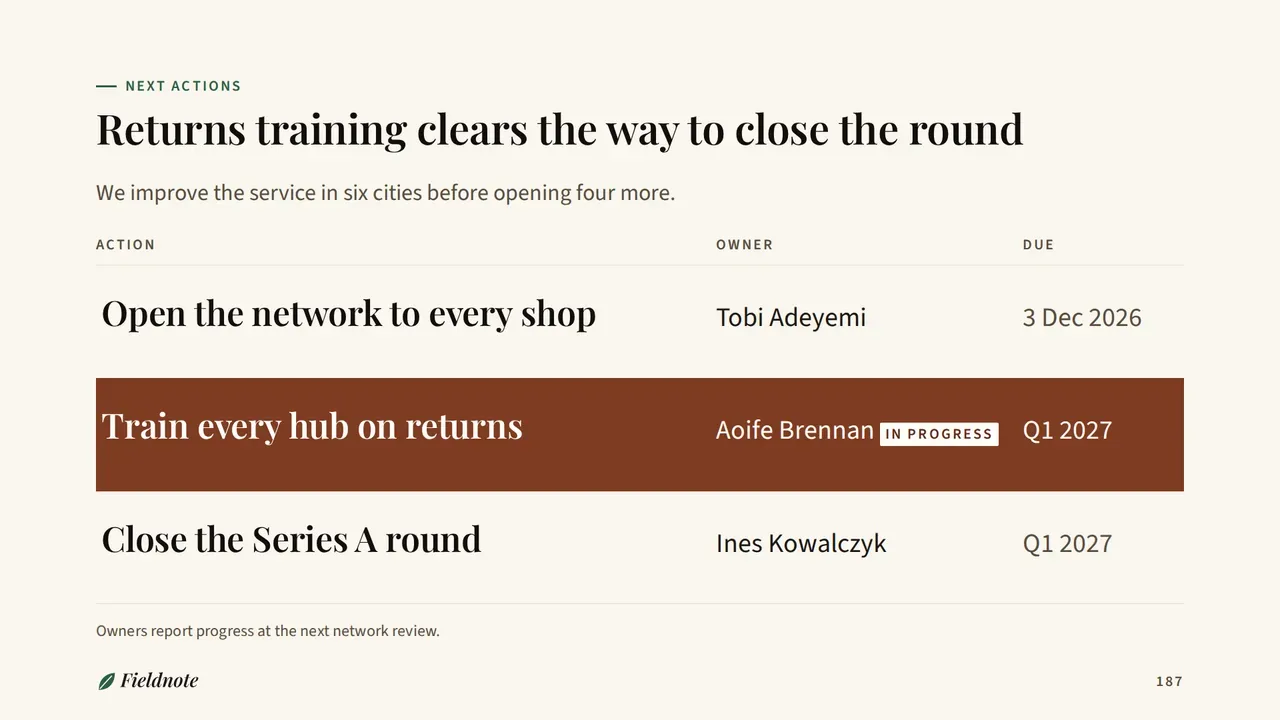
  - title: Open the network to every shop
    owner: Tobi Adeyemi
    due: 3 Dec 2026
  - title: Train every hub on returns
    owner: Aoife Brennan
    due: Q1 2027
  - title: Close the Series A round
    owner: Ines Kowalczyk
    due: Q1 2027
---

We improve the service in six cities before opening four more.

<Footnote>Owners report progress at the next network review.</Footnote>

<Notes>
`actions` with three commitments, `current: 2` and `reveal: true`; use it to name who does what next and by when.
[click] Tobi owns opening the network today. The console and test keys are ready; the next merchant can book a real drop. [click] Aoife owns returns training in the first quarter. That is the action in progress, because every hub needs the same handover routine before returns go on the next loop. [click] Ines owns closing the round. We improve the service in the cities already live while the funding for four more comes together.
</Notes>
Slide 187 of the lookbook deckView on GitHub
Each entry in actions: has a title, an owner and a due, all required. current: 2 marks the second action as the one in progress: its row is lit on the accent surface and an “In progress” badge sits beside its owner. The body is the commitment the actions deliver and <Footnote> says who reports progress.
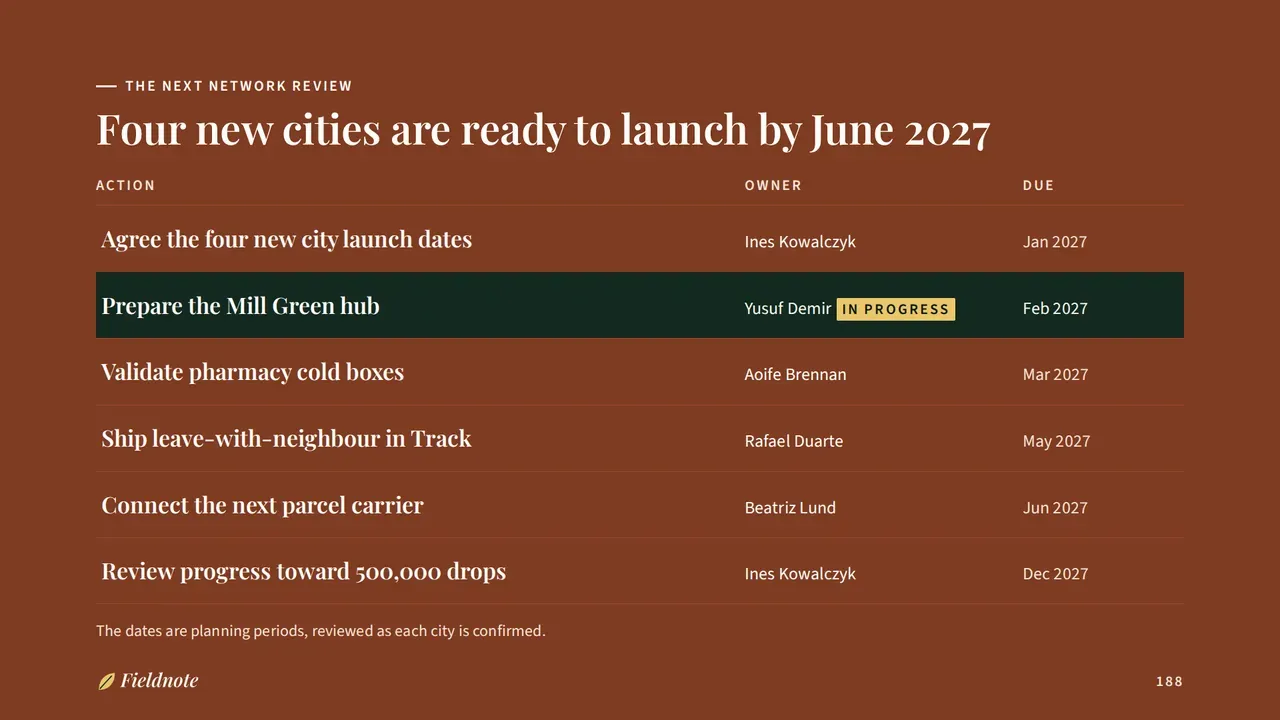
Six actions, the most the layout takes, on surface: accent with no context line. The marked row is lit on the inverse surface, because the slide is already on the accent.
When to use it
- Someone owns each action and a date closes it. Use
stepsfor the stages of a process without owners,columnsfor work grouped by horizon or status,timelinewhen dates and milestones tell the story,tablewhen the rows carry figures or more than three columns,statusfor readiness across workstreams, andagendafor the order of a meeting. - Three to six actions, one line each. A
titletakes up to 40 characters, anowner(a person or a team) up to 22, and adue(a date or a period such as12 Dec 2026orQ1 2027) up to 16. The slide title takes up to 50 characters, the body 14 words and the footnote 16. - Mark the action in progress with
current:, the number of one row, from 1 to 6.badge:is the label on that row, up to 14 characters, “In progress” by default. - Rename the column heads with
labels, for examplelabels: { owner: Lead }. The keys areaction,owneranddue, each up to 12 characters. Keys you leave out keep their English defaults. - Bring the commitments in one at a time with
reveal: trueand a[click]cue in the notes for each. See builds.
Reference
- Frontmatter
layout: actions- Surface
- the deck's default
- Title
- required, 50 characters at most
- PowerPoint
- title-only slide
Three to six next actions from actions:, each with a one-line title, an owner and a due date or period. The action takes the wide first column; owners and dates align in their own columns so the audience can scan who does what by when. The title states what happens next. current: marks one action in progress with a badge in the owner column and an accent band, and reveal: true brings the rows in one per click. Use it to close a review with accountable commitments; use steps for stages of a process without owners, columns for work grouped by horizon or status, and timeline when dates and milestones tell the story; use table when the rows carry figures or more than three columns, status for readiness across workstreams, and agenda for the order of a meeting.
Slots
| Slot | Takes | Budget | What goes in it |
|---|---|---|---|
body | text | 14 words | One sentence on the commitment these actions deliver. Put actions in actions:. |
<Footnote> | text | 16 words | A source or caveat on the bottom line. |
Frontmatter fields
| Field | Values | How to use it |
|---|---|---|
eyebrow | text | Write a few words of at most 40 characters, for example eyebrow: Budget committee, or leave it out. |
actionsrequired | text | List 3 to 6 actions, each with title (what will be done, up to 40 characters), owner (a person or team, up to 22) and due (a date or period, up to 16: "12 Dec 2026", "Q1 2027"). Keep each field to one line. |
badge | default In progress | The inline label on the current action, up to 14 characters; defaults to "In progress". |
labels | default {"action":"Action","owner":"Owner","due":"Due"} | Optional column labels: action, owner and due, each up to 12 characters; defaults to "Action", "Owner" and "Due". |
current | text | Write the number of the action in progress, from 1 to 6, such as current: 2, or leave it out. |
reveal | true false (default) | Write reveal: true to show the items one per step, in order, or leave it out to show them all at once. |
chrome | true (default) false | Write chrome: false to hide the page number, logo and progress bar on this slide, or chrome: true to show them. |
Example
---
layout: actions
title: Planting begins in March once crews are booked
eyebrow: Next actions
current: 2
badge: In progress
labels:
  action: Action
  owner: Owner
  due: Due
actions:
  - title: Confirm the east-side sites
    owner: Dana Okafor
    due: 12 Jan 2027
  - title: Book the planting crews
    owner: Field operations
    due: 26 Jan 2027
  - title: Open the warden sign-ups
    owner: Community team
    due: February 2027
---

Every action has one owner before the season begins.

<Notes>
Confirm each owner and date, then stop on booking the crews: that work is in progress.
</Notes>
Common mistakes
-
A
currentthat is past the end of the list.current: 5on three actions is aschemaerror that names the way back:$ deck lint launch-review decks/launch-review/slides/plans.mdx error schema (plans): current: 5 names action 5, but there are 3 actions. Fix: Write the number of one of the 3 actions (1 to 3), or leave `current` out. launch-review: 1 error, 0 warnings. -
Leaving out the date. An action with no
duefails with “actions[2].due is required.”owneris required too: an action nobody owns is not a commitment. -
A badge with no
current.badge: Latedoes nothing on its own, because the badge goes on the rowcurrentnames.