Use the timeline layout for three to five dated milestones along a line: a roadmap, a history or a migration. Mark where you stand now, which milestones are done, which slipped and which are only targets.
Example
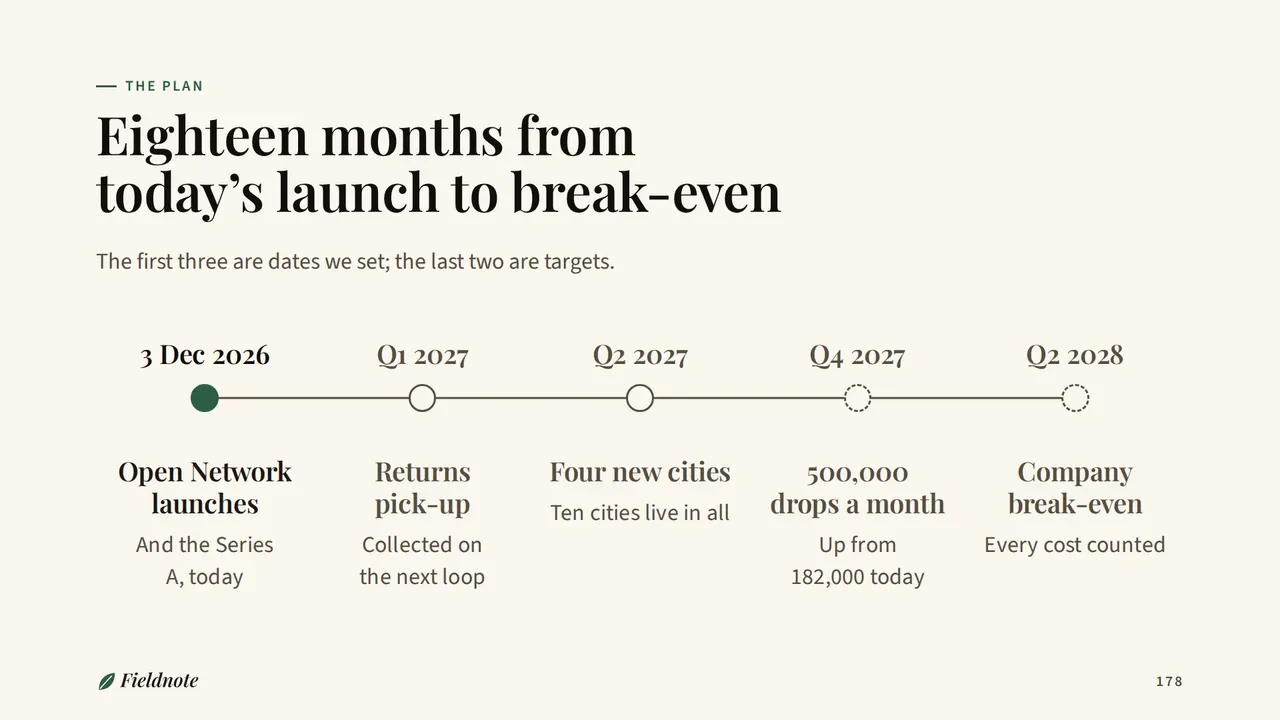
---
layout: timeline
title: Eighteen months from today's launch to break-even
eyebrow: The plan
current: 1
reveal: true
milestones:
  - date: 3 Dec 2026
    title: Open Network launches
    detail: And the Series A, today
  - date: Q1 2027
    title: Returns pick-up
    detail: Collected on the next loop
  - date: Q2 2027
    title: Four new cities
    detail: Ten cities live in all
  - date: Q4 2027
    title: 500,000 drops a month
    detail: Up from 182,000 today
    state: muted
  - date: Q2 2028
    title: Company break-even
    detail: Every cost counted
    state: muted
budget: 1m
---

The first three are dates we set; the last two are targets.

<Notes>
`timeline` with `current: 1` and `reveal: true`, the milestones after the current one drawn as still to come and the two targets as tentative (`state: muted`, a dashed dot); use it for a plan seen from where we stand, with more dates than an ask holds.
[click] We are here, at the filled dot: today's launch, open to every shop in six cities. [click] By the end of March, riders pick up returns on their next loop. [click] By June, four new cities. [click] By the end of 2027, 500,000 drops a month. [click] And in the second quarter of 2028, the whole company breaks even. The last two are targets: they depend on growth, not only on us.
</Notes>
Slide 178 of the lookbook deckView on GitHub
Notice what current: 1 does: the first milestone is filled and boxed as the one you are at, and the rest are drawn as still to come. The last two set state: muted, so their dots are dashed, which tells the room they are targets, not dates. With reveal: true each click adds one milestone.
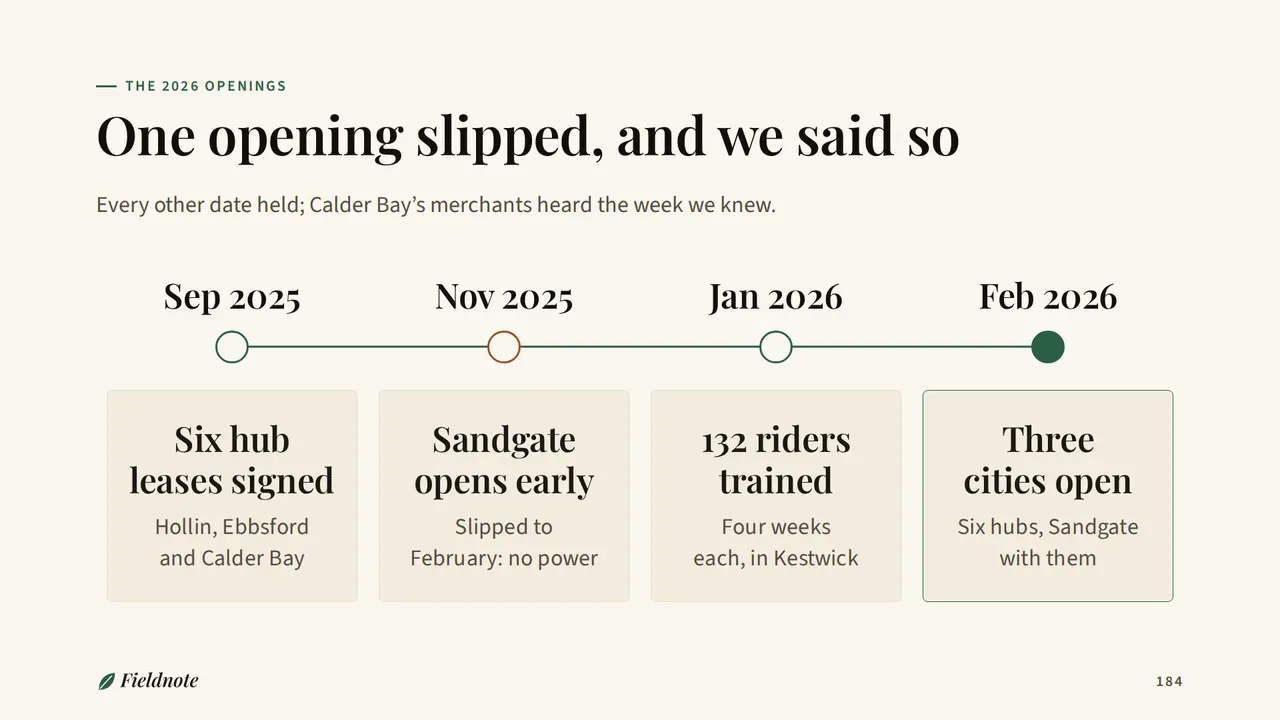
A milestone that slipped takes state: error, so the room sees it next to the dates that held:
When to use it
- Dates matter. Each milestone has a
date(Q3 2026,Spring 2027), atitleand an optionaldetail. A fifth milestone shortens the title and detail; the reference below gives the limits. - Three to five of them. A longer history goes over two slides.
- You want to show where you are.
current:takes the number of a milestone, counted from 1. Leave it out and the line fills to the last one, as for a finished history. - Some milestones differ.
state:marks one as done (success), slipped (error) or tentative (muted).
The title takes up to 60 characters and the sentence under it up to 14 words. For a process without dates, use the steps layout; for values over time, use a chart; for work that lasts, as lanes of duration bars, use the schedule layout.
Reference
- Frontmatter
layout: timeline- Surface
- the deck's default
- Title
- required, 60 characters at most
- PowerPoint
- title-only slide
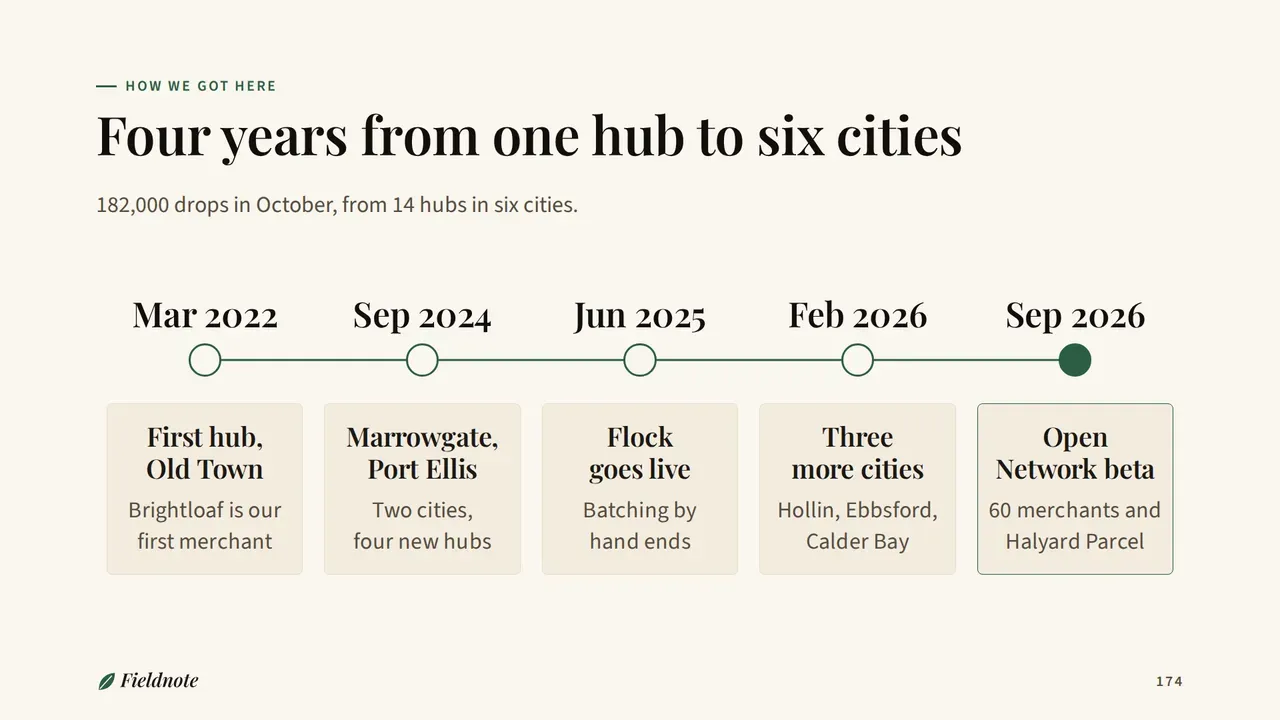
Three to five dated milestones along a line, in time order, from milestones: in the frontmatter, drawn by the kit <Timeline>: a roadmap, a history, a migration. current: rings the milestone we are at and fills the line up to it; a milestone can be marked done (state: success), slipped (error) or tentative (muted); reveal: true adds one milestone per click. Split a longer history over two slides. Use steps for a process without dates, and a chart for values over time; use schedule for lanes with durations.
Slots
| Slot | Takes | Budget | What goes in it |
|---|---|---|---|
body | text | 14 words | One sentence under the title on where things stand. Put the milestones in milestones:. |
<Footnote> | text | 24 words | A source or caveat on the bottom line. |
Frontmatter fields
| Field | Values | How to use it |
|---|---|---|
eyebrow | text | Write a few words of at most 40 characters, for example eyebrow: Budget committee, or leave it out. |
milestonesrequired | text | List 3 to 5 milestones in time order, each with date (up to 12 characters: Q3 2026), title (up to 32, 24 with five) and optionally detail (up to 40, 32 with five) and state (success, error or muted). |
current | text | Write the number of the milestone we are at, current: 3, to ring it and fill the line up to it; leave it out to fill the line to the last one. |
reveal | true false (default) | Write reveal: true to show the items one per step, in order, or leave it out to show them all at once. |
chrome | true (default) false | Write chrome: false to hide the page number, logo and progress bar on this slide, or chrome: true to show them. |
Variants
- 5 milestones —
milestones[].title: 24 characters;milestones[].detail: 32 characters
Example
---
layout: timeline
title: "The pilot ran three summers; the plan starts in spring"
eyebrow: Where we are
current: 3
milestones:
  - date: Spring 2024
    title: Pilot planting
    detail: 410 trees on Holloway Road
    state: success
  - date: Summer 2025
    title: First measurements
    detail: "Streets 1.9 °C cooler"
    state: success
  - date: Autumn 2026
    title: Committee decision
    detail: The ten-year capital line
  - date: Spring 2027
    title: First 600 trees
    detail: "Eastgate, hottest blocks first"
---

<Notes>
We are at the third milestone: the decision. Everything after it waits on the vote.
</Notes>
Common mistakes
current:past the end. It counts milestones from 1. On a four-milestone slide,current: 5is aschemaerror: “current: 5 names milestone 5, but there are 4 milestones.”- Text that fit four milestones but not five. Adding a fifth tightens every title and detail. A 30-character title then fails: “milestones[1].title: The timeline layout sets at most 24 characters here (5 milestones), got 30.”
- Milestones out of order. The dates are free text, so the layout draws the milestones in the order you list them and cannot sort them. List them oldest first.
- Too many dates. Six milestones are a
schemaerror. Cut to the five that matter, or split the history over two slides. - The story in the body. The body is one sentence on where things stand. Each milestone’s line belongs in its
detail.
Related layouts
steps: a process in order, when the steps have no dates.columns: a board of now, next and later, when each period holds several items.ask: an amount and the two to four dated milestones it buys, for a request.chart: values over time, such as a<LineChart>.schedule: three to six lanes of duration bars on one axis, when the plan is about how long each part takes.
The layout draws its line with the kit’s <Timeline>, which you can also write yourself in the diagram layout; see sequence, timeline, layers, cycle and tree.