deck dev <deck> --agent claude (or --agent codex) adds a chat panel beside the slide. You ask for a change to the slide you are looking at, the agent edits the deck’s content, the slide reloads, and every turn can be undone. The agent is the claude or codex CLI you installed, run on your machine with your own login: deckster bundles no model. This page gets the panel running and shows how to use it.
Install and sign in to an agent CLI
npm install -g @anthropic-ai/claude-code
claude          # sign in once with /login, then quit
Or set ANTHROPIC_API_KEY in the terminal that starts the deck.
npm install -g @openai/codex
codex login
Or set CODEX_API_KEY in the terminal that starts the deck.
Then check both without starting a deck:
$ deck agent doctor
Claude Code 2.1.326: signed in with claude.ai (max)
Codex 0.169.0: signed in with ChatGPT
  Note: Codex 0.169.0 is installed; the adapter was tested with 0.167.x (recorded with 0.167.2). If turns fail, check the recorded transcripts against this version.

The agent edits only the deck's content: slide files (.mdx, .tsx) in slides/ and media and data in assets/ and public/, in a working copy the editor copies into the deck; the slide list changes only through the deck tools, and anything else it writes is ignored.
The doctor runs each CLI’s version and sign-in check, never a turn, and never prints an e-mail address or a token. The adapters were recorded against Claude Code 2.1.325 and Codex 0.167.2; another version line gets a note like the one above. For a missing or signed-out CLI it prints the fix and exits with 1. --agent <name> checks one CLI.
Start the panel
-
Start the deck with an agent:
$ deck dev launch-review --agent codex --agent-panel bottom
  ➜  Local:   http://127.0.0.1:5173/
  MCP:     http://127.0.0.1:5173/__deck/mcp
  Run `deck mcp launch-review` for the configuration of Claude Code and Codex.
  Agent:   Codex 0.169.0: signed in with ChatGPT (panel bottom)
           Note: Codex 0.169.0 is installed; the adapter was tested with 0.167.x (recorded with 0.167.2). If turns fail, check the recorded transcripts against this version.
The
Agent:line names the CLI and its sign-in, or the problem and its fix. -
Open the URL in your browser. If the panel is hidden, press
a. -
Type what you want changed on the slide on screen, such as “Shorten the title”, and press Enter.
The flags:
| Flag | What it does |
|---|---|
--agent claude, --agent codex |
Which CLI runs the turns. Also serves the MCP tools. |
--agent-panel right, --agent-panel bottom |
Where the panel docks first. Default: right. |
--agent-model <name> |
The model for the turns. Default: the CLI’s own default (for Codex, the model in $CODEX_HOME/config.toml). |
--agent-web |
Lets the agent search the web and read pages. Off by default. |
deck present <deck> --agent claude puts the same panel in the desktop window. The panel exists only with --agent, only in the audience window, and never in a build or an export. When the CLI is missing or signed out, the panel shows the fix; sign in in a terminal and press Retry on the failed turn, without restarting the deck.
Ask for a change
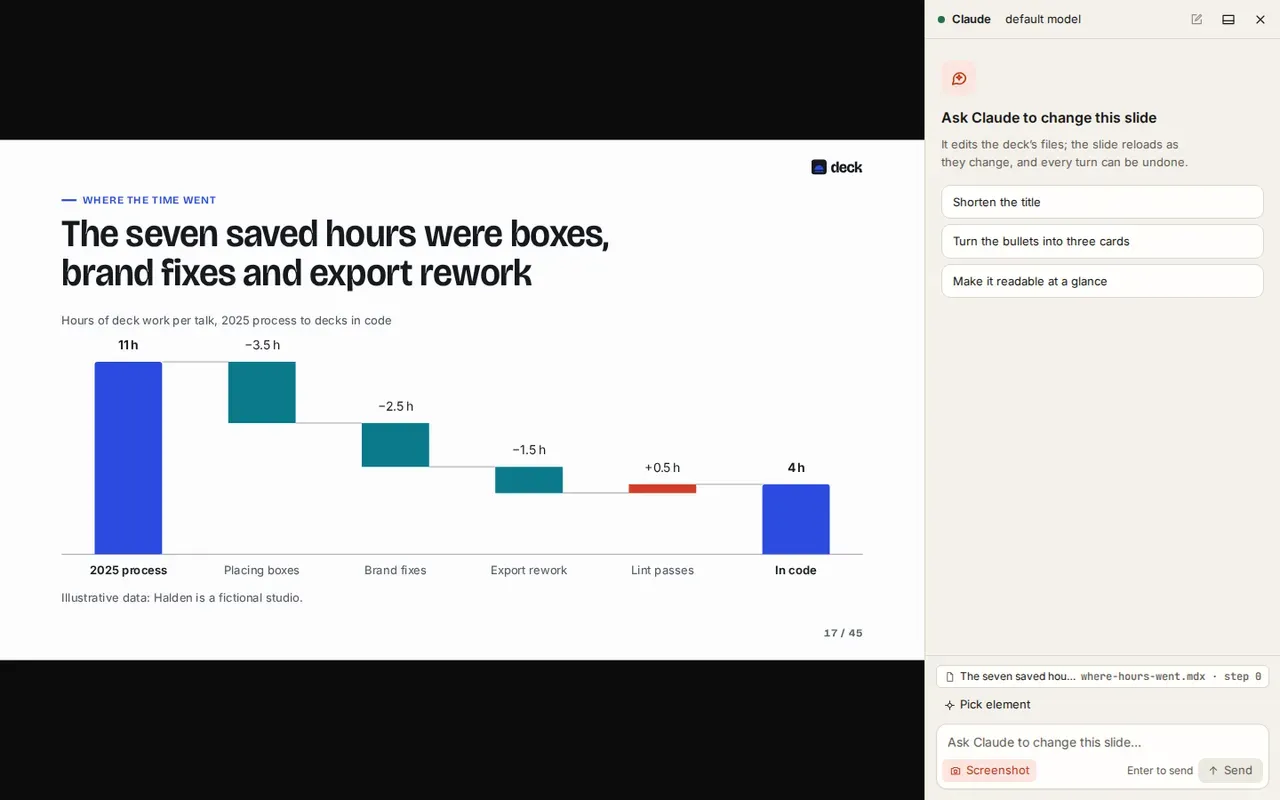
- Open it with
a, or the chat button in the tool cluster in the bottom-left corner. The cursor goes to the input. - Send with Enter; Shift+Enter starts a new line. While the input has focus every key stays in it, so typing never moves the deck. Escape gives the keys back to the deck.
- Context goes with every prompt, in the row above the input: the slide and step on screen (it follows you as you navigate), an element you picked, and the slide’s open review comments (click one to attach it). Screenshot attaches a picture of the slide at that step; it is on by default.
- Pick element lets you click an element on the slide; the prompt then carries its text and source line. The pick stays for follow-up prompts until you remove it or move to another slide.
- Stop ends the running turn and keeps what it edited so far. A prompt you send while a turn runs is queued and runs next; Stop also clears the queue.
- Header: the model for the next turns (click to change it), New conversation (the agent forgets the conversation; the files stay), the dock switch and hide.
After a turn
Each turn ends with a footer:
- the changed files (click one for its diff);
- the lint result of the slides the turn touched; findings that were there before the turn are folded away and not counted;
- the time, the tokens and, for Claude, the cost;
- Undo and Redo.
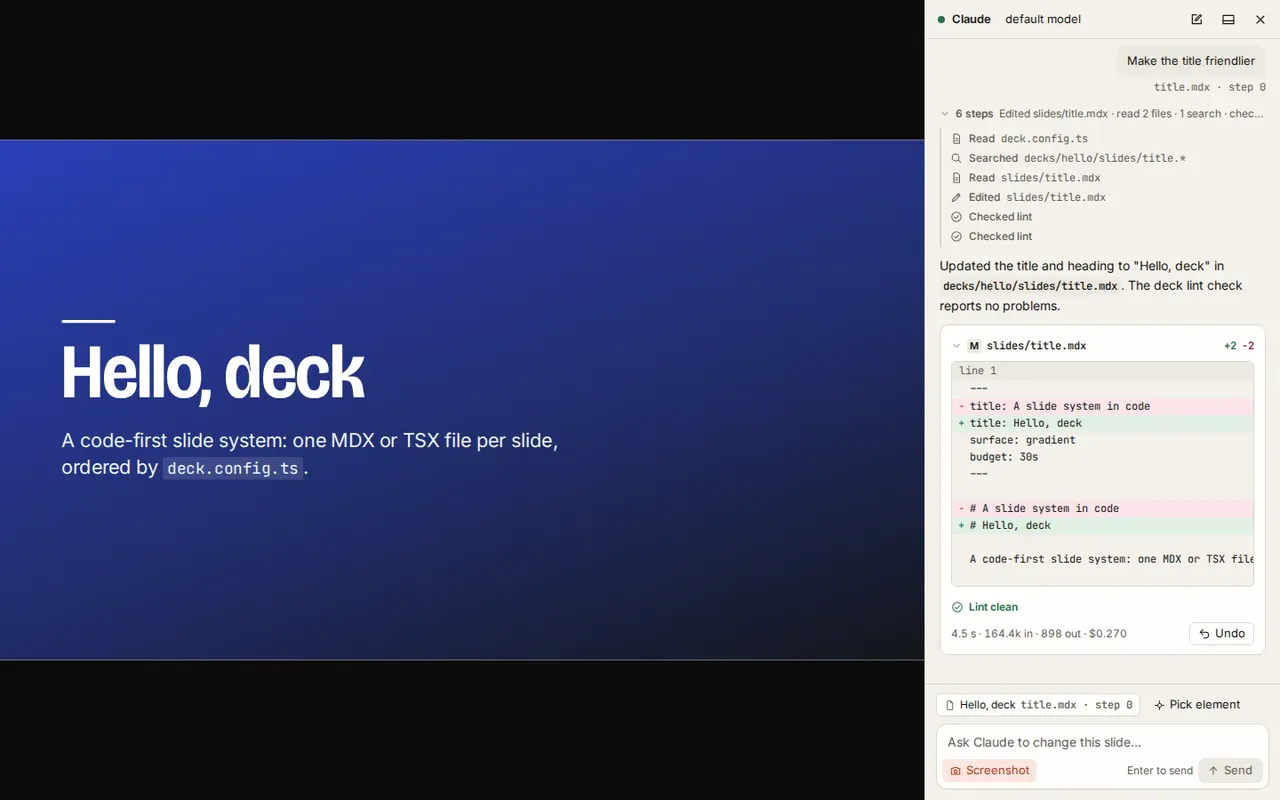
This is a recorded example turn, replayed for the screenshot: the steps, the answer and the figures in its footer were recorded once, not measured in a live run, so read them as an example of the layout, not as what a turn takes or costs.
When lint finds new errors, one automatic follow-up turn, labelled Auto-fix, tries to fix them; there is never a second. Undo refuses, and names the file, when the file changed after the turn. A file over 5 MB is marked as too large to undo and stays as it is.
If you edit a slide by hand while a turn runs and the agent changes the same file, your version stays and the footer says “Kept your edit of” that file.
What the agent may change
Only the deck’s content: .mdx and .tsx files in slides/, and images, video, audio, JSON and CSV in assets/ and public/. It adds, reorders and removes slides only through its deck tools. Anything else it writes, such as deck.config.ts or a stylesheet, is ignored and listed in the footer. How a turn runs explains how this is enforced and what it does not protect against. With the create-presentation skill installed in the workspace, the agent also reads its guidance on writing slides.
Claude or Codex
| Claude Code | Codex | |
|---|---|---|
| Answers | stream in word by word | arrive as whole messages |
| Cost | shown per turn | not reported, tokens only |
| Reads files with | its Read tool | shell commands, shown as “Read” |
| How edits are limited | permission rules that allow edits only in the working copy | its sandbox, writable only in the working copy, with no network |
Both get the same deck tools, resume the same conversation from turn to turn, and keep it when you restart deck dev.