Use the content layout to explain one idea in words: a title that states the point, then a short paragraph, a few bullets, or a sentence followed by bullets. Add a definition or key fact beside the text, or widen the body for a table, chart or component.
Example
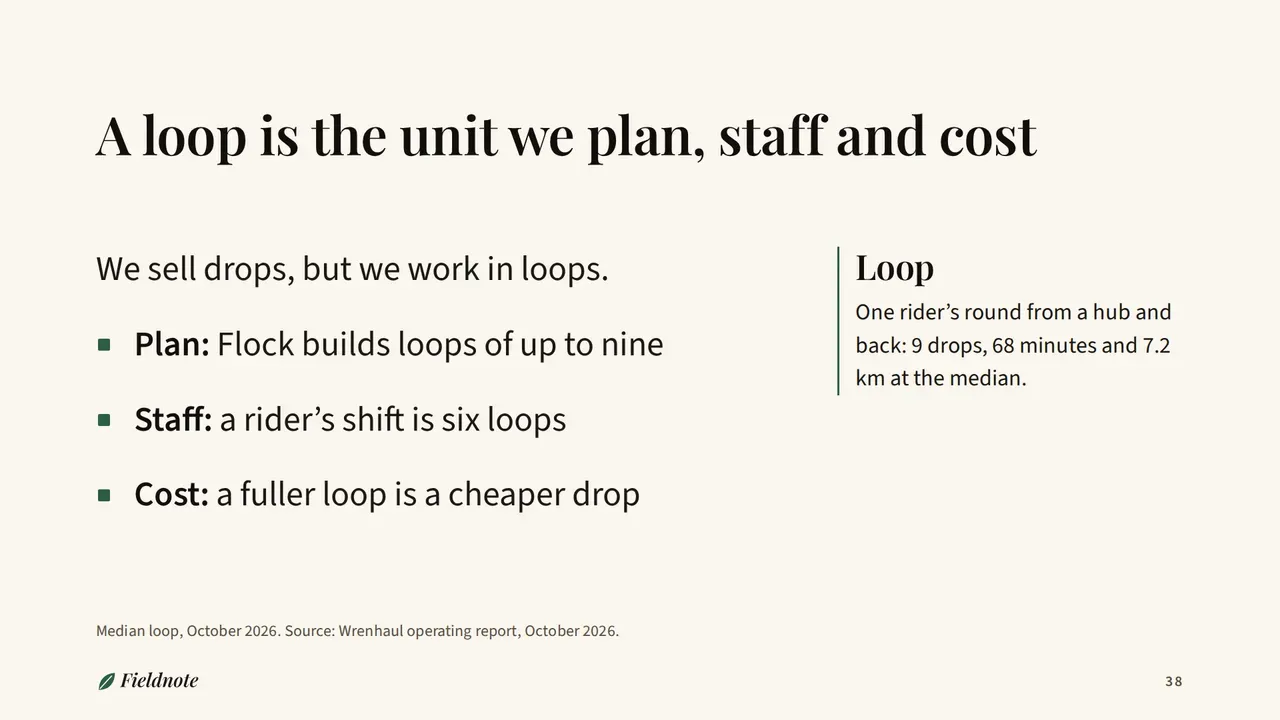
---
layout: content
title: A loop is the unit we plan, staff and cost
budget: 45s
---

We sell drops, but we work in loops.

- **Plan:** Flock builds loops of up to nine
- **Staff:** a rider's shift is six loops
- **Cost:** a fuller loop is a cheaper drop

<Aside>
### Loop

One rider's round from a hub and back: 9 drops, 68 minutes and 7.2 km at the median.
</Aside>

<Footnote>Median loop, October 2026. Source: Wrenhaul operating report, October 2026.</Footnote>

<Notes>
`content` with a sentence, three bullets and an `<Aside>` holding the definition; use it when a term needs defining beside the point that uses it.
A merchant buys a drop, but a loop is what we actually run: one rider's round from the hub and back. Flock plans loops, we staff a shift as six of them, and because a rider is paid by the hour, a fuller loop is a cheaper drop.
</Notes>
Slide 38 of the lookbook deckView on GitHub
Notice the <Aside>: a ### heading and one sentence, set in a column of its own beside the body. Filling it lowers the body’s budget from 72 words to 56, which is why the body here is one sentence and three short bullets.
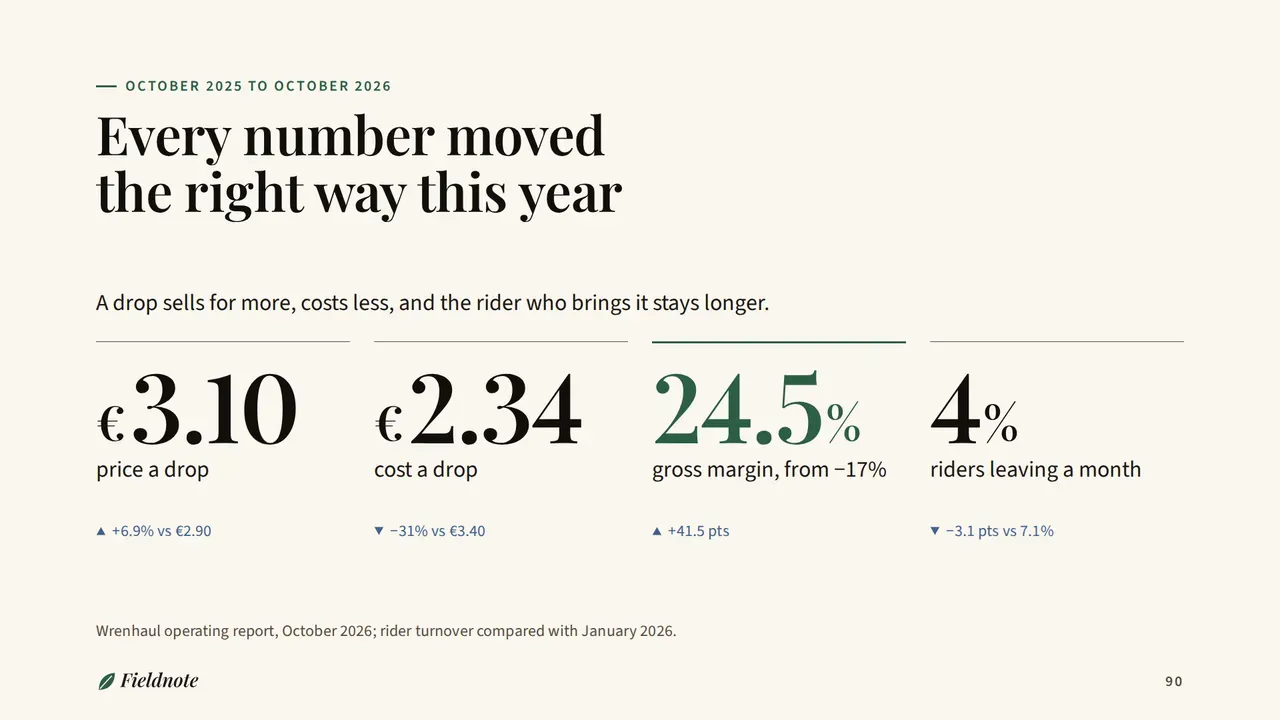
With width: full, the body runs across all twelve columns instead of the eight-column reading measure, so a component such as <StatRow> gets the whole width.
When to use it
- One idea, said in words. The body is required and holds up to 72 words and six bullets. The title states the takeaway in up to 90 characters.
- A term the point depends on. Put it in
<Aside>: up to 36 words, text or a number, never a list. - A source.
<Footnote>takes up to 30 words on the bottom line. - A table, chart or component under a sentence. Write
width: full. The body slot accepts text, bullets, a table, a chart or a component.
Short text is set larger and placed in the middle of the space, so a sparse slide does not look empty. When the point needs a picture beside it, use split; when it rests on numbers, use stats.
Reference
- Frontmatter
layout: content- Surface
- the deck's default
- Title
- required, 90 characters at most
- PowerPoint
- content slide
A title that states the point, then a short paragraph, up to six bullets, or a sentence and bullets. Fill <Aside> with a key fact or definition to set it in a column beside the text. Sparse text is set larger and placed in the middle of the space; width: full runs the body across all twelve columns for a table, chart or component. The workhorse for explaining one idea; use split when the point needs a picture beside it, and stats when it rests on numbers.
Slots
| Slot | Takes | Budget | What goes in it |
|---|---|---|---|
bodyrequired | text, bullets, table, chart, component | 72 words, 6 bullets | A paragraph, up to six bullets, or one sentence followed by bullets; with width: full, a table, chart or component. Set the takeaway in title:. Wrap points in <Step at={n}> to reveal them in turn. |
<Aside> | text, number | 36 words | A key fact, definition or callout beside the body: a short ### heading and a sentence or two. |
<Footnote> | text | 30 words | A source or caveat on the bottom line, in a sentence or two. |
Frontmatter fields
| Field | Values | How to use it |
|---|---|---|
eyebrow | text | Write a few words of at most 40 characters, for example eyebrow: Budget committee, or leave it out. |
width | text (default) full | Write width: full to run the body across all twelve columns (a table, a chart or a component), or leave it out for the eight-column reading measure. |
chrome | true (default) false | Write chrome: false to hide the page number, logo and progress bar on this slide, or chrome: true to show them. |
Variants
- with aside — body: 56 words
Example
---
layout: content
title: Why the heat lands hardest in Eastgate
eyebrow: The problem
---

Three things stack up in the same twelve blocks.

- Canopy cover is 9%, against 34% in Riverside
- Two in three homes are flats with no cross-ventilation
- Asphalt and flat roofs store heat and release it after dark

<Aside>
### Canopy cover

The share of ground that tree crowns shade at noon, measured from summer aerial photos.
</Aside>

<Footnote>Source: Larkfield summer aerial survey, 2026.</Footnote>

<Notes>
Name the three causes, then say they all land on the same streets.
</Notes>
Common mistakes
- Too many bullets. A seventh bullet is a
content-budgeterror: “The body slot holds 7 bullets; its layout allows 6.” Merge two, or split the slide. - Forgetting that the aside shrinks the body. A 61-word paragraph passes alone but fails once
<Aside>is filled: “The body slot holds 61 words; its layout allows 56 (with aside).” - A list in the aside. The aside takes text or a number. Two bullets there are a
slot-contenterror: “The aside slot holds a list of 2 items; the content layout sets it as text or number.” - An empty body. A slide with only a title and
<Notes>fails with aschemaerror: “The content layout needs content outside its slot tags.” - A wide component at the reading width. A chart or table in the default
width: textgets eight columns. Setwidth: fullfor it.
Related layouts
split: text beside a photo, chart, diagram or table, when there is something to show.default: one centred column for a heading and a lead or a short list, when no specific layout fits.stats: two to four big numbers, when the point is their size.cards: two to four equal ideas, each on a card, instead of a list.
How the body text is sized and stepped down is on text and fitting.