The conversation layout sets a short chat transcript of two to four messages, with each speaker named, under a title that states what the exchange shows. Use it for a customer exchange, an assistant interaction or a handover, in the speakers’ own words.
Example
---
layout: conversation
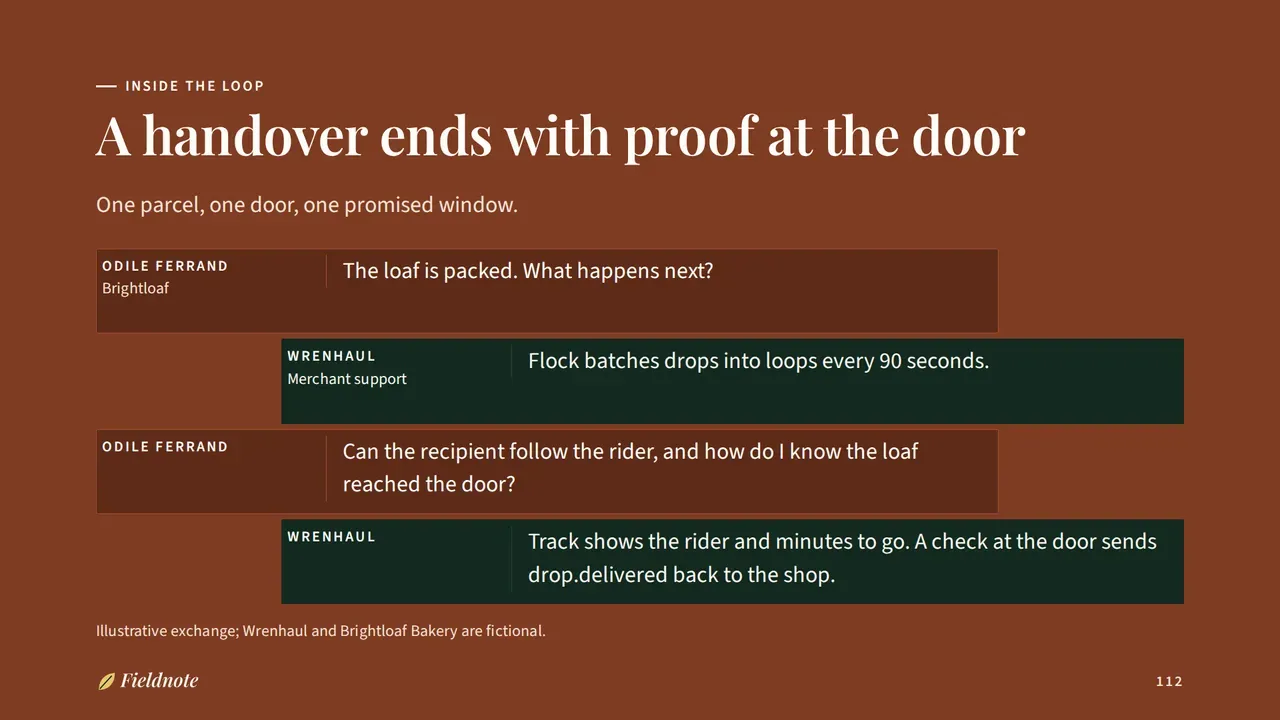
title: A handover ends with proof at the door
eyebrow: Inside the loop
surface: accent
reveal: true
budget: 50s
messages:
  - name: Odile Ferrand
    role: Brightloaf
    side: left
    text: The loaf is packed. What happens next?
  - name: Wrenhaul
    role: Merchant support
    side: right
    text: Flock batches drops into loops every 90 seconds.
  - name: Odile Ferrand
    role: Brightloaf
    side: left
    text: Can the recipient follow the rider, and how do I know the loaf reached the door?
  - name: Wrenhaul
    role: Merchant support
    side: right
    text: Track shows the rider and minutes to go. A check at the door sends drop.delivered back to the shop.
---

One parcel, one door, one promised window.

<Footnote>Illustrative exchange; Wrenhaul and Brightloaf Bakery are fictional.</Footnote>

<Notes>
`conversation` with four messages, speaker `role` labels and `reveal: true` on accent; use it to walk a room through an exchange, one turn per click.
[click] The loaf is ready. [click] Flock batches the waiting drops every ninety seconds. [click] Odile asks about visibility and proof. [click] Track follows the rider; the check at the door closes the loop and sends the event back to the shop.
</Notes>
Slide 112 of the lookbook deckView on GitHub
Each turn in messages: has a name, a side and the text. Messages on side: left are neutral panels. Messages on side: right are our side, the lit panels, and are set further right; on an accent surface, as here, they take the inverse surface. The optional role appears under a speaker’s name on their first message only, which is why “Brightloaf” and “Merchant support” show once. reveal: true brings in one message per click, and the final transcript stays in place for static slides and exports. The title is about the right-hand replies, as the layout asks.
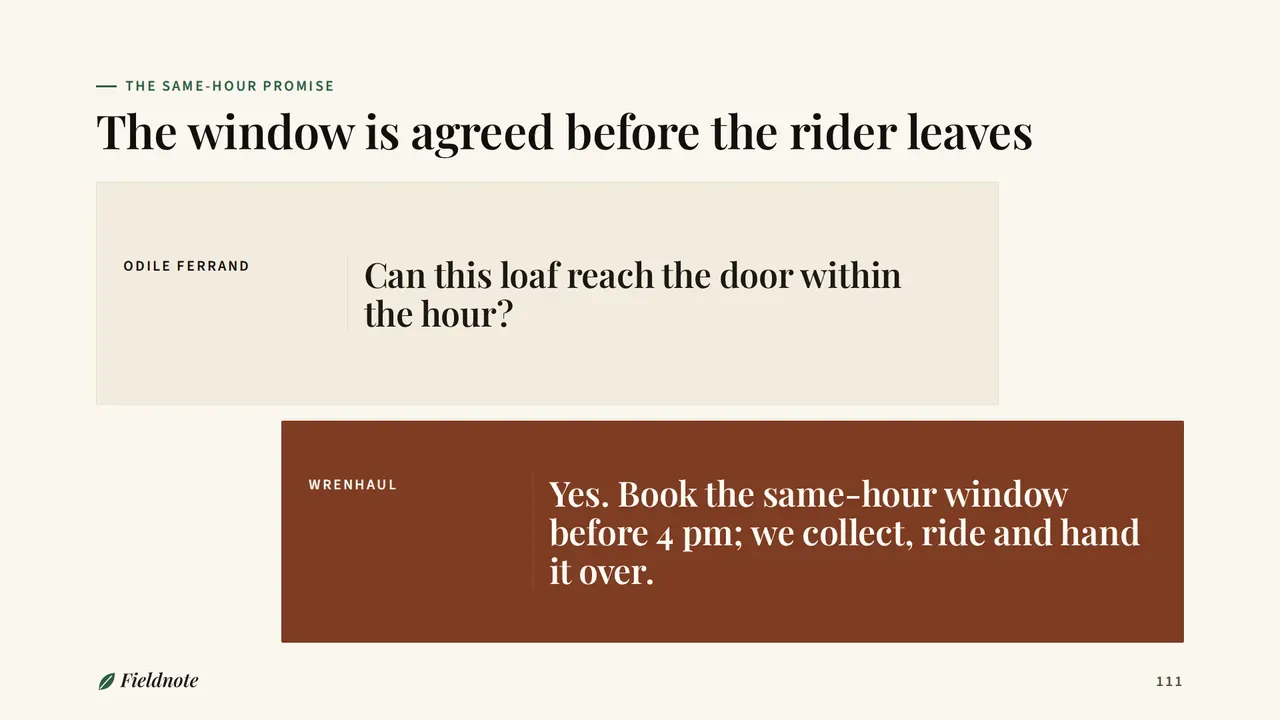
A short exchange grows in type to fill the room. This one has two messages, no roles and no context line, and the speaker’s name stays in its own column.
When to use it
- Two to four messages. Split a longer exchange across slides. A
nametakes up to 18 characters, aroleup to 20 and atextup to 112. The title takes up to 50 characters, the body up to 14 words and the footnote up to 16. - Our side on the right.
side: rightis the side your talk speaks for, so write the title about those replies. The names and the left and right positions tell the sides apart, so colour never has to. - One paragraph per message. Whitespace in
textis collapsed, so a line break inside a message does not start a new paragraph. - Say whether it is staged. The footnote is for “a source or caveat on the bottom line, such as whether the exchange is staged”, as in “Illustrative exchange; Wrenhaul and Brightloaf Bakery are fictional.”
- Walk through it one turn at a time with
reveal: true, and put a[click]cue for each message in the notes. See builds. - Use another layout when there is no dialogue.
quoteholds one person’s testimony,stepsa process,proofa customer result with numbers, and a sequencediagramthe technical messages between systems.
Reference
- Frontmatter
layout: conversation- Surface
- the deck's default
- Title
- required, 50 characters at most
- PowerPoint
- title-only slide
A chat transcript of two to four messages under a title that states what the exchange demonstrates. Write each turn in messages: with name, side (left or right) and text, plus an optional role. Left panels are neutral; right panels are our side on the lit surface (accent, or inverse on accent and gradient slides). Make the title about the right-hand replies. Speaker names and roles sit in a separate column at every size. Short exchanges grow in type to fill the region. Write each message as one paragraph; whitespace is collapsed. A speaker’s optional role appears on their first message. Speaker names and alignment identify the sides without relying on colour. reveal: true brings messages in one per click, keeping the final transcript in place for static slides and exports. Use it to show a customer exchange, an assistant interaction or a handover in the speakers' own words. Use quote for one person's testimony, steps for a process without dialogue, proof for a customer result with numbers, and a sequence diagram for technical messages between systems.
Slots
| Slot | Takes | Budget | What goes in it |
|---|---|---|---|
body | text | 14 words | One sentence of context under the title. Put the transcript in messages:. |
<Footnote> | text | 16 words | A source or caveat on the bottom line, such as whether the exchange is staged. |
Frontmatter fields
| Field | Values | How to use it |
|---|---|---|
eyebrow | text | Write a few words of at most 40 characters, for example eyebrow: Budget committee, or leave it out. |
messagesrequired | text | List 2 to 4 messages in reading order. Each needs name (up to 18 characters), side: left or side: right (our side), and text (up to 112 characters). Write each message as one paragraph; whitespace is collapsed. Optionally add role (up to 20 characters), such as Customer or Assistant; shown on each speaker’s first message. Split longer exchanges across slides. |
reveal | true false (default) | Write reveal: true to show the items one per step, in order, or leave it out to show them all at once. |
chrome | true (default) false | Write chrome: false to hide the page number, logo and progress bar on this slide, or chrome: true to show them. |
Example
---
layout: conversation
title: A request ends with a planting date
eyebrow: Resident services
messages:
  - name: Maya
    role: Resident
    side: left
    text: "Can our street get a shade tree?"
  - name: Dana
    role: Programme lead
    side: right
    text: "Yes. We survey the pavement, then book the next planting season."
---

The resident gets a next step in the same exchange.

<Footnote>Illustrative exchange from the canopy programme.</Footnote>

<Notes>
Read the request, then the reply: the answer gives the resident something to act on.
</Notes>
Common mistakes
-
A fifth message. The schema stops at four:
$ deck lint launch-review decks/launch-review/slides/c-five.mdx error schema (c-five): messages: Expected at most 4 messages, got a list of 5 items. Fix: List 2 to 4 messages in reading order. Each needs `name` (up to 18 characters), `side: left` or `side: right` (our side), and `text` (up to 112 characters). Write each message as one paragraph; whitespace is collapsed. Optionally add `role` (up to 20 characters), such as Customer or Assistant; shown on each speaker’s first message. Split longer exchanges across slides. launch-review: 1 error, 0 warnings. -
A side that is not left or right.
side: centeris aschemaerror:messages[1].side: Expected "left" | "right", got "center". -
Expecting the role on every message. A speaker’s
roleis shown on their first message only. Speakers are matched byname, so spell it the same each time. -
A title about the question. The right-hand messages are the point. “A handover ends with proof at the door” names what the replies show; “A merchant asks about delivery” does not.