The schedule layout sets a plan across time: three to six named lanes share one axis of three to eight labelled periods, and each lane has one or two bars that run from one period to another. Use it for parallel delivery, a rollout or overlapping work, where duration and overlap are the point.
Example
---
layout: schedule
title: Six hubs open between April and June
eyebrow: The 2027 openings
budget: 45s
periods: [Jan, Feb, Mar, Apr, May, Jun]
current: 1
now: 2
lanes:
  - name: Saltby · Quayside
    bars: [{ from: 1, to: 3, label: Fit-out / train }, { from: 4, to: 6, label: First loops }]
  - name: Ardwen · two hubs
    bars: [{ from: 2, to: 4 }, { from: 5, to: 6 }]
  - name: Fallowmere
    bars: [{ from: 3, to: 4 }, { from: 5, to: 6 }]
  - name: Tarnock · two hubs
    bars: [{ from: 3, to: 5 }, { from: 6, to: 6 }]
---

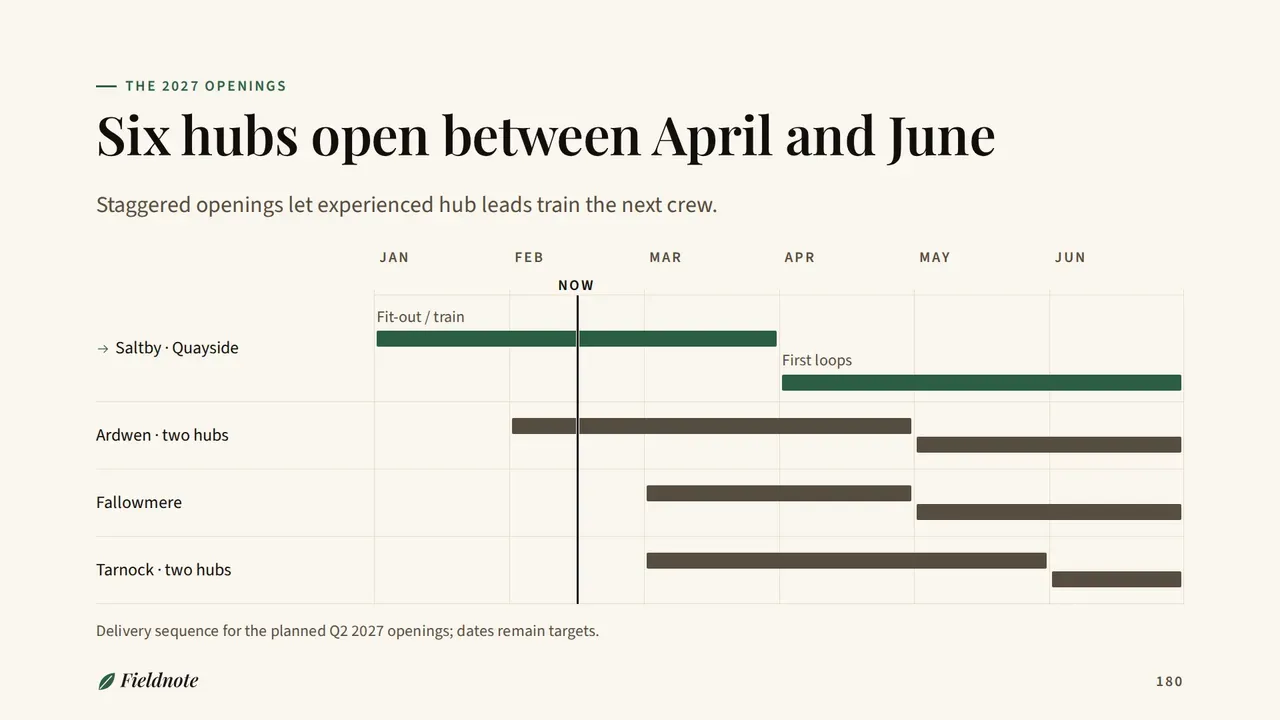
Staggered openings let experienced hub leads train the next crew.

<Footnote>Delivery sequence for the planned Q2 2027 openings; dates remain targets.</Footnote>

<Notes>
`schedule` with six periods, four lanes and two bars per lane, with only Saltby labelled and current; use it for overlapping work with durations.
The first loops start in April in Saltby, May in Ardwen and Fallowmere, and June in Tarnock. This is the delivery sequence behind the four-city plan: six hubs and 134 riders at opening.
</Notes>
Slide 180 of the lookbook deckView on GitHub
periods: labels the axis, and each bar in lanes: has from and to, its first and last period counted from 1, both included: Saltby’s first bar, from: 1, to: 3, covers January to March. A label sits above its bar. now: 2 draws the “Now” marker at the centre of February, and current: 1 marks the first lane with an arrow and fills its bars with the accent.
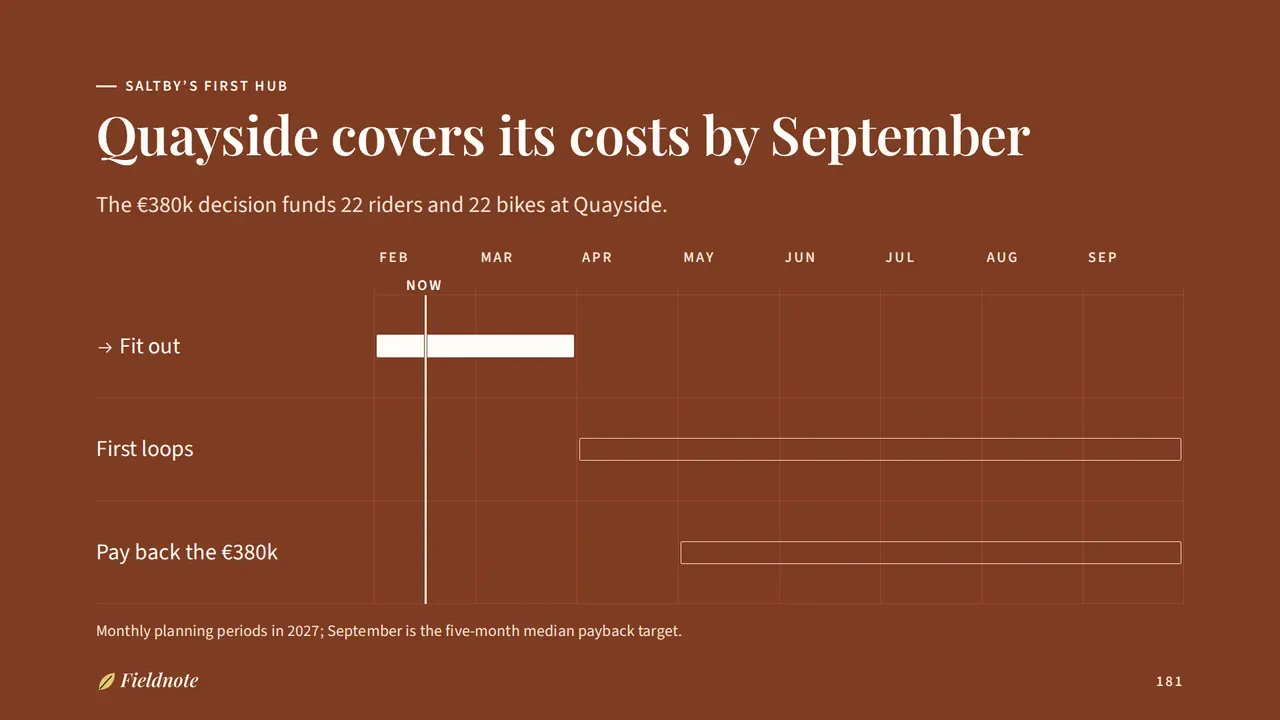
This slide has eight periods, three lanes with one bar each and reveal: true, which brings the lanes in one per step. The still shows the last step. On an accent or gradient slide with current set, the other lanes’ bars are drawn as outlines so the filled bars of the current lane stand apart, as here; when the layout shrinks to its two smallest sizes to fit a crowded slide, they stay filled.
When to use it
- The plan has durations. Lanes are parallel streams of work, and bars show how long each runs. Without durations, see the layouts below.
- Equal periods. Three to eight labels of up to 6 characters, or 5 with seven or eight periods (
Jan,Wk 2,Q3). The layout does not read dates;fromandtocount periods. - Three to six lanes. Each has a
nameof up to 22 characters and one or two bars. Two bars that overlap are drawn on separate tracks, so a lane can hold overlapping work. - Twelve bars and labels at most. A bar counts one and its optional
label, up to 16 characters, one more. Six lanes of two bars use the whole allowance, so they take no labels. - Mark where you are.
nowis a period number andcurrentis a lane number. Usecurrentfor the lane the talk is on, or the lane atnow. - Little prose. The body, up to 14 words, says what the plan delivers; the durations belong in the lanes. The
<Footnote>takes a source or caveat, up to 16 words. - Name the lanes one at a time with
reveal: true, and put a[click]cue in the notes for each. See builds.
Custom labels
New in v0.6.1. Use now for the visible marker. Screen readers use nowPeriod after the current period and through between the start and end of a bar. Set these fields in the slide frontmatter. Omitted labels keep their English defaults.
labels:
  now: Heute
  nowPeriod: heute
  through: bis
Reference
- Frontmatter
layout: schedule- Surface
- the deck's default
- Title
- required, 50 characters at most
- PowerPoint
- title-only slide
A plan across time: three to six named lanes share an axis of three to eight labelled periods. Each lane has one or two duration bars, with inclusive one-based from/to period indexes and optional labels above their bars. A labelled now marker sits at the centre of its period; current marks a lane with an arrow and stronger bars. Use it to show parallel delivery, a rollout or overlapping work. Reveal lanes one per click. Use timeline for dated milestones without durations, steps for a sequence without dates, or columns for a Now / Next / Later board without a measured axis. Use table for a timetable with exact dates per row. labels renames the now marker and the words read to screen readers, for example labels: { now: Heute }.
Slots
| Slot | Takes | Budget | What goes in it |
|---|---|---|---|
body | text | 14 words | One sentence on what this plan delivers; put durations in lanes. |
<Footnote> | text | 16 words | A source, date or caveat on the bottom line. |
Frontmatter fields
| Field | Values | How to use it |
|---|---|---|
eyebrow | text | Write a few words of at most 40 characters, for example eyebrow: Budget committee, or leave it out. |
periodsrequired | text | List 3 to 8 equally spaced periods in order, each up to 6 characters, or 5 with seven or eight periods: Jan, Wk 2, Q3. |
lanesrequired | text | List 3 to 6 lanes with name (up to 22 characters) and bars (1 to 2). Each bar has from and to (inclusive period indexes, 1 to 8, within the actual axis, from <= to) and optionally label (up to 16 characters). Use at most 12 bars and bar labels combined; each optional label counts as one. Overlaps use separate tracks. |
now | text | Set now to a period index from 1 to 8 within the actual axis to label its centre Now, or labels.now; omit it for no marker. |
current | text | Set current to the number of the lane the talk is on, or the one at now, from 1 to 6 within the actual list, to mark it with an arrow and stronger bars. |
labels | default {"now":"Now","nowPeriod":"now","through":"through"} | Optional replacements for now (Now), the marker drawn at the now period, 1 to 6 characters; nowPeriod (now), read in parentheses after that period; and through (through), read between the first and last period of each bar. The two read words are never drawn, 1 to 24 characters each. Omitted keys keep their English defaults. For example, labels: { now: Heute }. |
reveal | true false (default) | Write reveal: true to show the items one per step, in order, or leave it out to show them all at once. |
chrome | true (default) false | Write chrome: false to hide the page number, logo and progress bar on this slide, or chrome: true to show them. |
Variants
- seven or eight periods —
periods[]: 5 characters
Example
---
layout: schedule
title: Three crews carry the planting season
periods:
  - Jan
  - Feb
  - Mar
  - Apr
current: 2
now: 2
labels:
  now: Now
  nowPeriod: now
  through: through
lanes:
  - name: Survey
    bars:
      - from: 1
        to: 2
        label: Site visits
  - name: Planting
    bars:
      - from: 2
        to: 4
        label: Eastgate
  - name: Tree care
    bars:
      - from: 2
        to: 4
        label: Watering
---

<Notes>Survey work overlaps the start of planting; care continues after the crews move on.</Notes>
Common mistakes
-
Numbers past the axis. With three periods,
now: 5and a bar that ends in period 4 are bothschemaerrors, and so is a bar whosefromis after itsto:$ deck lint launch-review decks/launch-review/slides/schedule-late.mdx error schema (schedule-late): now: Period 5 is past the 3-period axis. Fix: Set now to a period index from 1 to 3, or leave it out. error schema (schedule-late): lanes[2].bars[0]: The bar must run forwards within the 3-period axis. Fix: Use inclusive indexes with 1 <= from <= to <= 3. launch-review: 2 errors, 0 warnings. -
A
currentlane that does not exist. With three lanes,current: 5is aschemaerror: “current: 5 names lane 5, but there are 3 lanes.” -
Too many bars and labels. Over twelve is a
schemaerror: “Expected at most 12 bars and bar labels combined.” Remove labels, use fewer bars or split the plan.