A deck is a folder of slide files plus one config file that puts them in order. Once you know how those pieces fit together, you know where every change goes: which file to open for a slide, which line to edit to move one, and what the build checks before anything renders. Read this before you write a long deck or tell an agent how to work on one.
A deck is a folder
Each deck lives in its own folder under decks/ in your workspace. The folder name is the deck’s name, the one you pass to commands such as deck dev launch-review. Inside it, deck.config.ts gives the deck a title and lists its slides, and slides/ holds one file per slide. This is the hello deck from the repository:
- decks/
- hello/
- deck.config.ts
- slides/
- title.mdx
- steps.mdx
- live-counter.tsx
- closing.mdx
- assets/
- mark.svg
- hello/
Its config:
import { defineDeck } from '@deckster/engine/config';

export default defineDeck({
  title: 'Hello, deck',
  brand: 'default',
  slides: ['title', 'steps', 'live-counter', 'closing'],
});
slides is the order the audience sees. title is required, and so is at least one slide. brand names a folder under brands/ (without it the deck uses default). duration gives the length of the talk, and mouseNavigation: false stops clicks from moving the deck. The deck config reference covers each field.
A slide is one file
A slide is a file in slides/ named by its id: the id live-counter is slides/live-counter.mdx or slides/live-counter.tsx. Ids are kebab-case. Most slides are MDX: frontmatter that names a layout, then the content. A slide that needs real code is a TSX file. It uses the same layouts, slots and steps, and exports its frontmatter as an object. The build reads that object without running the slide, so it must be a literal. MDX slides and TSX slides show how to write each.
Here is the first slide of hello and the file that makes it:
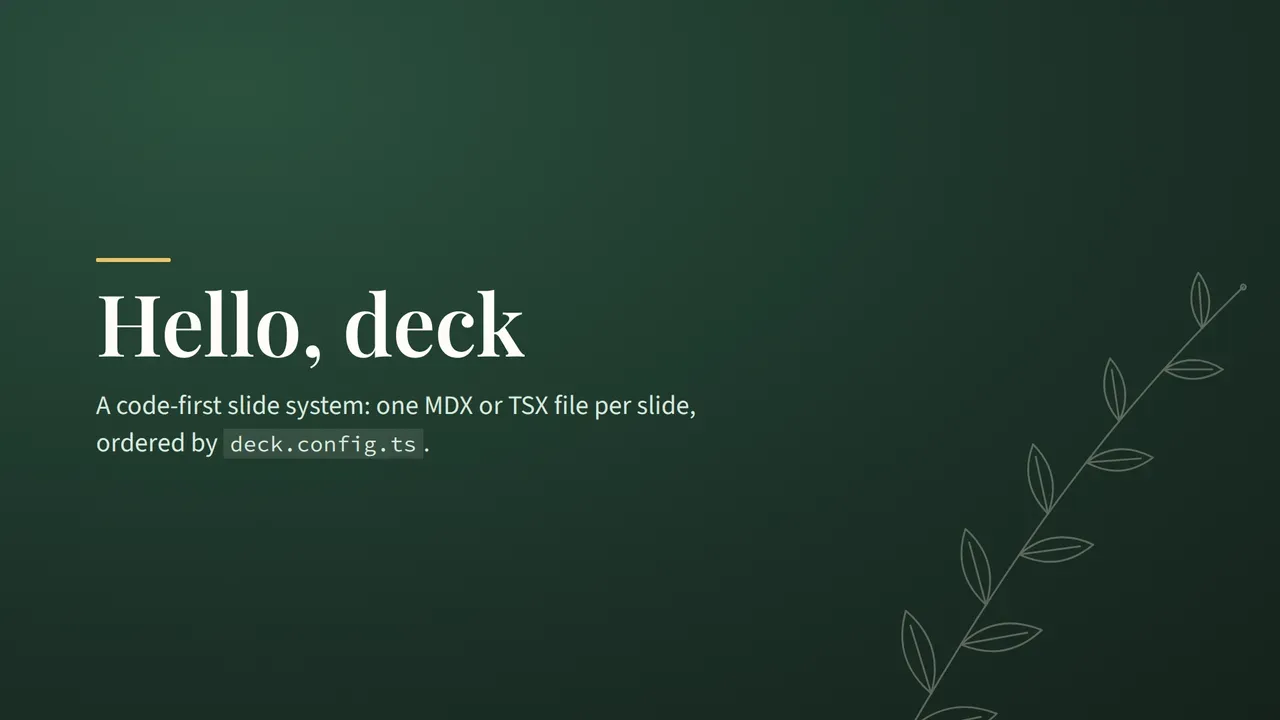
---
title: Hello, deck
surface: gradient
budget: 30s
---

# Hello, deck

A code-first slide system: one MDX or TSX file per slide, ordered by `deck.config.ts`.

<Notes>
Welcome everyone. This deck exercises the engine: steps, notes and a TSX slide.
</Notes>
Slide 1 of the hello deckView on GitHub
Only the files the config lists are slides. Any other MDX file in slides/ compiles as a partial that slides can import, and any other TSX file is a helper. deck lint warns about each unlisted file, in case you meant it to be a slide.
Why one file per slide
- Diffs stay small. A change to one slide touches one file, so a pull request shows exactly what changed.
- Work runs in parallel. Several people or agents can edit different slides without conflicts.
- A comment maps to one file. A review comment on a slide points at the file and line to fix.
- Moving a slide is a one-line change. You reorder the
slideslist. No file is renamed and nothing is numbered.
The canvas
Every slide is laid out on a 1920x1080 canvas, and the canvas is scaled to fit the window. Type sizes, spacing and limits are in canvas pixels. As a result, a slide looks the same in a small browser window, on a projector, in a deck shot PNG and in a PDF or PPTX export.
How a slide is addressed
The URL hash names the slide and the step: #/<slide>/<step>. In #/2/0, the slide number counts from 1 and the step from 0. The number is the slide’s place in the list, so a slide with hidden: true has one too (hidden slides). When you type or link a hash, you can use the slide id instead of the number, as in #/live-counter/1. The deck then rewrites the hash to the number form. A reload or a shared link opens the same slide at the same step.
What the build checks
Every command that renders a deck, from deck dev and deck build to deck shot, deck lint and deck export, runs it through the same build.
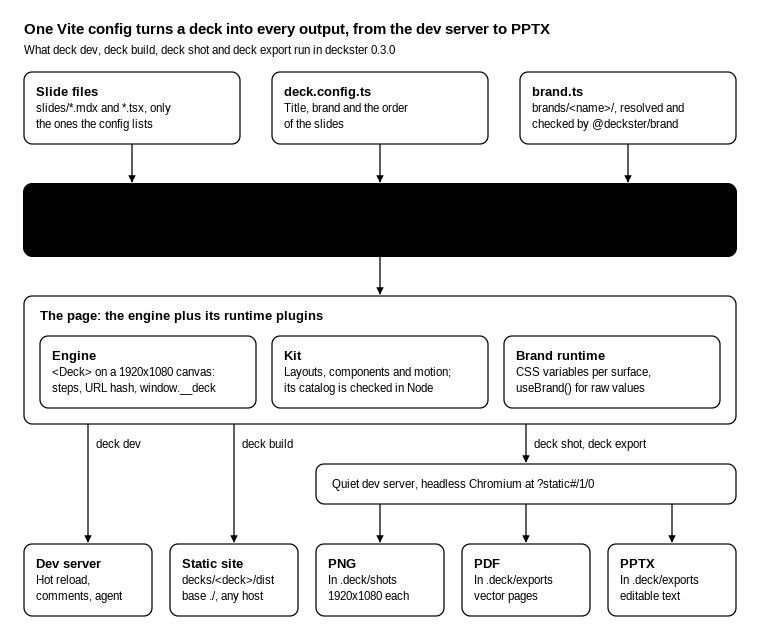
Before anything renders, the build checks the deck:
- the config: a title, kebab-case slide ids, a file for every listed id;
- each slide’s frontmatter against its layout: known fields, allowed values, the title’s length, and a
surfacethe brand has; - the slots each slide fills: required slots present, and no slot tag the layout lacks;
- the MDX itself, for example a
<Step>withoutat.
A check that fails stops the build. The error names the file, each problem and its fix. Here a split slide has no picture beside its text:
$ deck build launch-review
transforming...
✓ 852 modules transformed.
✗ Build failed in 550ms
The slide does not fit its layout's slots in decks/launch-review/slides/why-now.mdx:
  - The split layout needs its media slot.
    Fix: Add <Media>…</Media> at the top level of the slide: What the text points at: one <img> with alt text (imported from the deck's assets/ or served from its public/ folder), a chart, diagram, table or component. Photos fill the frame and are cropped to it; anything else is centred and may fill it with `height: 100%` (the frame is a size container, so `100cqh` works too).
These checks cover the source only. Whether the rendered slide fits, reads and stays on brand is for deck lint: see lint as the contract. The frontmatter keys every slide takes are listed in the slide frontmatter reference.