Use the proof layout for a customer story: a named person saying what changed, beside the one to three numbers that show it. The title states the result, the quote takes the wider left side with the person and their company’s logo under it, and the metrics stand on an accent panel that runs to the right edge.
Example
---
layout: proof
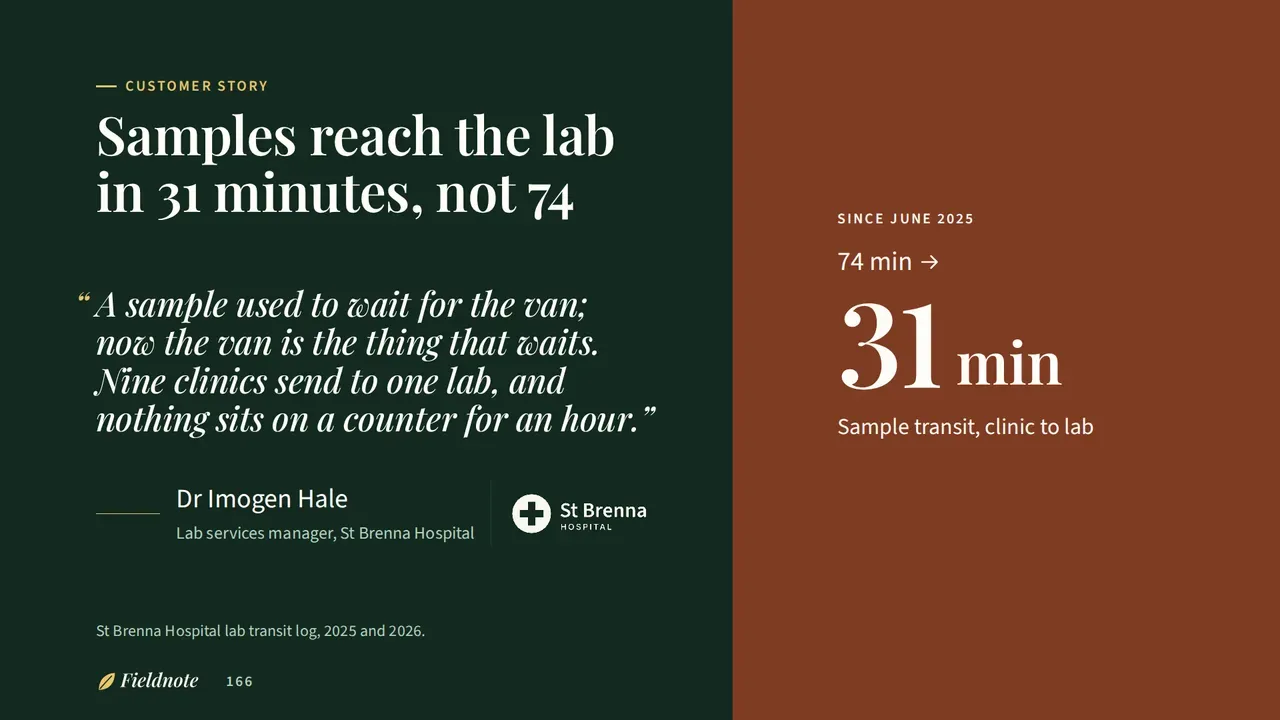
title: Samples reach the lab in 31 minutes, not 74
eyebrow: Customer story
surface: inverse
name: Dr Imogen Hale
role: Lab services manager, St Brenna Hospital
logo:
  name: St Brenna Hospital
  src: ../assets/logos/st-brenna-hospital.svg
timeframe: Since June 2025
metrics:
  - value: 31 min
    from: 74 min
    label: Sample transit, clinic to lab
budget: 40s
---

A sample used to wait for the van; now the van is the thing that waits. Nine clinics send to one lab, and nothing sits on a counter for an hour.

<Footnote>St Brenna Hospital lab transit log, 2025 and 2026.</Footnote>

<Notes>
`proof` with no portrait and a single metric, on the inverse surface; use it when one number says it all and the customer has no photo to give.
St Brenna moves blood samples between nine clinics and its lab. A sample used to take 74 minutes to arrive; now it takes 31, and the lab's day starts earlier.
</Notes>
Slide 166 of the lookbook deckView on GitHub
Notice how little the slide needs: one metric with from:, shown as 74 min → 31 min, a timeframe: above it, and no photo:, so an accent rule stands where the portrait would be. The title already says the result; the quote says why it matters.
When to use it
- A named customer has numbers.
name:andmetrics:are both required: one to three metrics, the strongest first, since the first is set largest. - The quote is short. The body is two or three sentences in the customer’s voice, at most 36 words; the layout adds the quotation marks.
- The result fits the title: up to 52 characters, stated as the outcome (“Samples reach the lab in 31 minutes, not 74”).
- You want to walk through the numbers.
reveal: trueshows the quote first, then brings in the panel with the lead metric and each other metric on the next step.
Pick another layout when one half is missing:
- Words without numbers: use
quote. - Numbers without a voice: use
stats. - A list of customers: use
logos.
Reference
- Frontmatter
layout: proof- Surface
- the deck's default
- Title
- required, 52 characters at most
- PowerPoint
- two-content slide
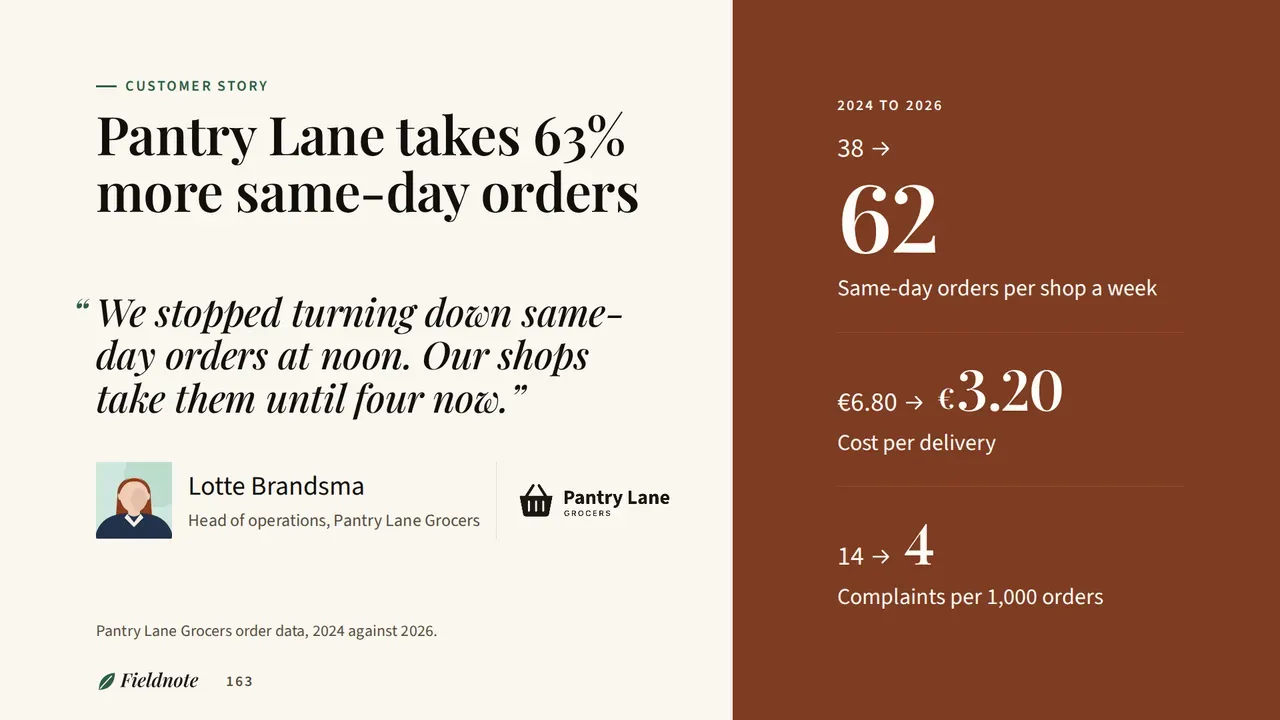
A named case study: a customer saying what changed, beside the numbers that show it. The title states the result; the quote (the slide body, two or three sentences) takes the wider side, with the person under it (name:, role:, a small portrait from photo:) and the customer's logo set small in one tone (logo:). One to three metrics: stand on an accent panel that runs to the right edge, the first set largest, each with what it measures and optionally the figure before (from:, shown as before → after), under an optional timeframe: such as "in 6 months". reveal: true shows the quote first and brings in the metrics one per step. Use it for traction and sales proof, where one or two named customers with numbers carry more than a logo wall; use quote for words without numbers, stats for numbers without a voice, and logos for a list of customers.
Slots
| Slot | Takes | Budget | What goes in it |
|---|---|---|---|
bodyrequired | quote, text | 36 words | The words, without quotation marks (the layout sets them): two or three sentences in the customer's voice. Put the numbers in metrics:, not here. |
<Footnote> | text | 16 words | A source for the numbers on the bottom line, under the quote. |
Frontmatter fields
| Field | Values | How to use it |
|---|---|---|
eyebrow | text | Write a few words of at most 40 characters, for example eyebrow: Budget committee, or leave it out. |
namerequired | text | Name who said it, for example name: Priya Nair (up to 32 characters). |
role | text | Say who they are at the customer, for example role: Head of estates, Holloway Housing (up to 48 characters). |
photo | text | Give their portrait as a file in the deck folder, for example photo: assets/priya.jpg, or leave it out. |
focal | text | Name the part of the photo to keep when it is cropped, as a CSS position: focal: top, focal: center 30% (a face in the upper third) or focal: 40% 20%. |
logo | text | Give the customer's name and logo file, for example logo: { name: Holloway Housing, src: assets/holloway.svg } (a name of up to 32 characters; without src the name is set in the label style), or leave it out. |
metricsrequired | text | List 1 to 3 results, the strongest first, each with value (a number, or a figure as shown of up to 8 characters such as "38%"), label (what it measures, up to 40 characters) and optionally from (the figure before, in the same unit), for example - { value: 3 days, from: 14 days, label: Median wait for a repair }. |
timeframe | text | Say over what time the results came, for example timeframe: In 6 months (up to 20 characters), or leave it out. |
reveal | true false (default) | Write reveal: true to show the quote first and bring in the metrics one per step, or leave it out to show everything at once. |
treatment | text | Name one of the brand's image treatments, for example treatment: plain (every brand has it) to show a screenshot, map or chart in its own colors; deck brand --json lists them under imagery.treatments. |
chrome | true (default) false | Write chrome: false to hide the page number, logo and progress bar on this slide, or chrome: true to show them. |
Example
---
layout: proof
title: Holloway Housing cut repair waits by four fifths
eyebrow: Customer story
name: Priya Nair
role: "Head of estates, Holloway Housing"
timeframe: In 6 months
metrics:
  - value: 3 days
    from: 14 days
    label: Median wait for a tree repair
  - value: "92%"
    from: "61%"
    label: Repairs done on the first visit
# Give the customer's logo and the speaker's portrait as files in the deck folder:
#   logo: { name: Holloway Housing, src: assets/logos/holloway-housing.svg }
#   photo: assets/people/priya-nair.jpg
---

Tenants used to chase us for weeks about a split branch. Now the crew is there before anyone has to ask twice.

<Footnote>Holloway Housing repair log, March to August 2026.</Footnote>

<Notes>
Let the quote land, then walk the numbers from the top.
</Notes>
Common mistakes
- A long quote. A 51-word quote fails
deck lintwithcontent-budget: “The body slot holds 51 words; its layout allows 36.” Keep the sentence that names the change and move the rest to the notes. - A long title. The title has a 52-character limit, checked before the slide renders: “title: The proof layout sets at most 52 characters, got 54.” State the result, not the story.
- Numbers in the quote. The figures belong in
metrics:, each withvalue,labeland optionallyfrom, so the panel can set them large and show the before and after. Write the quote without them. - Long figures. A metric’s
valueandfromtake at most 8 characters as text (38%,$1.2M,11 days), and itslabelat most 40. Put the unit in the value and what it measures in the label. - Quotation marks in the body. The layout sets hanging quotation marks of its own, so write the words without them.
- A source left out. Put where the numbers come from in
<Footnote>, up to 16 words, as every lookbook proof slide does.
Related layouts
quote: a person’s words set large, with no numbers beside them.stats: two to four big numbers, with no customer voice.logos: many customers as a wall of marks.bio: one person introduced, rather than quoted.
How reveal and steps work on a slide is on builds.