The agenda layout lists the parts of your talk as three to seven numbered rows, each with a title and, if you want them, a line of detail and a time. Show it after the cover to set out the plan, and again between parts to show the room where they are.
Example
---
layout: agenda
title: 'Part three: the proof'
eyebrow: The plan
current: 3
items:
  - title: Why can't a van do this?
    detail: One window in eight missed, at €6.40 a drop
    time: 10 min
  - title: How does a drop reach the door?
    detail: Flock, the Rider app and Track, shown live
    time: 12 min
  - title: Does it work at scale?
    detail: 182,000 drops in October, 97.8% on time
    time: 10 min
  - title: What will the €14M build?
    detail: Four new cities and 500,000 drops a month
    time: 8 min
budget: 10s
---

<Notes>
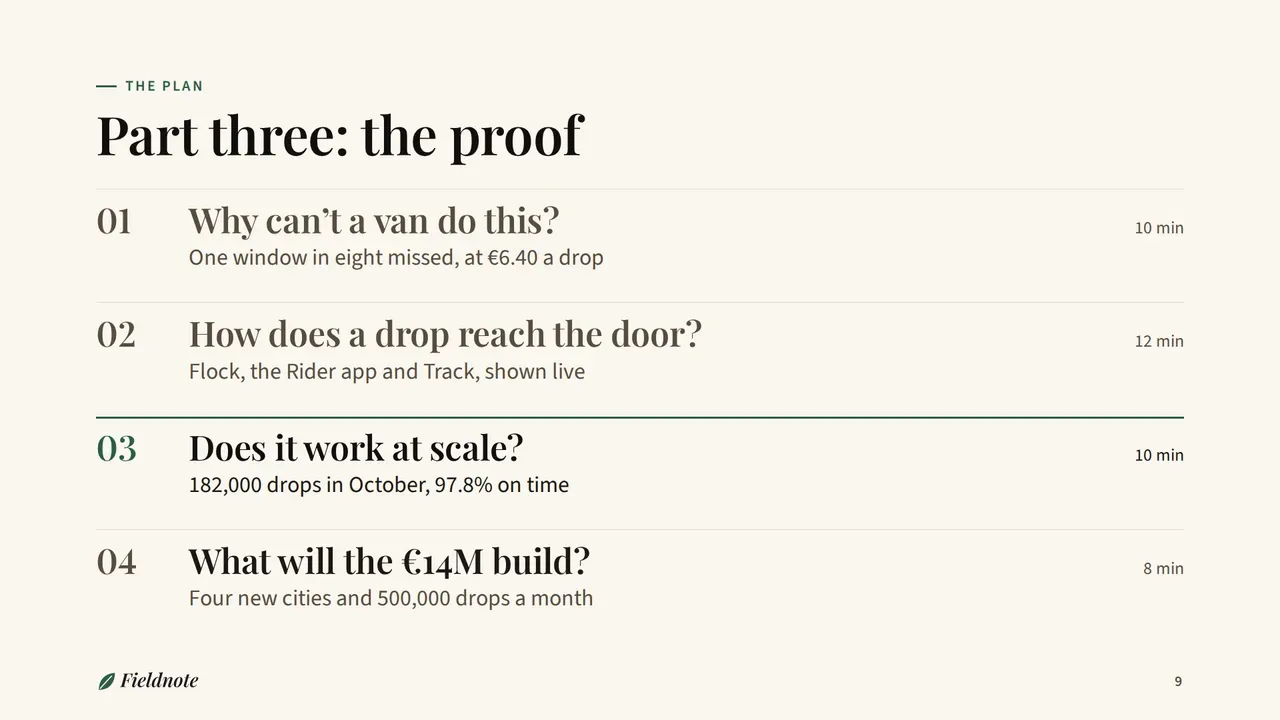
`agenda` with `current: 3`, the same four items as the opening plan; show it between parts so the room sees where they are.
We have seen why vans fail and how a drop travels. Now the numbers: does it hold up at 182,000 drops a month?
</Notes>
Slide 9 of the lookbook deckView on GitHub
This is the opening agenda shown again before the third part: current: 3 gives that row an accent rule and number, and the two rows before it fade.
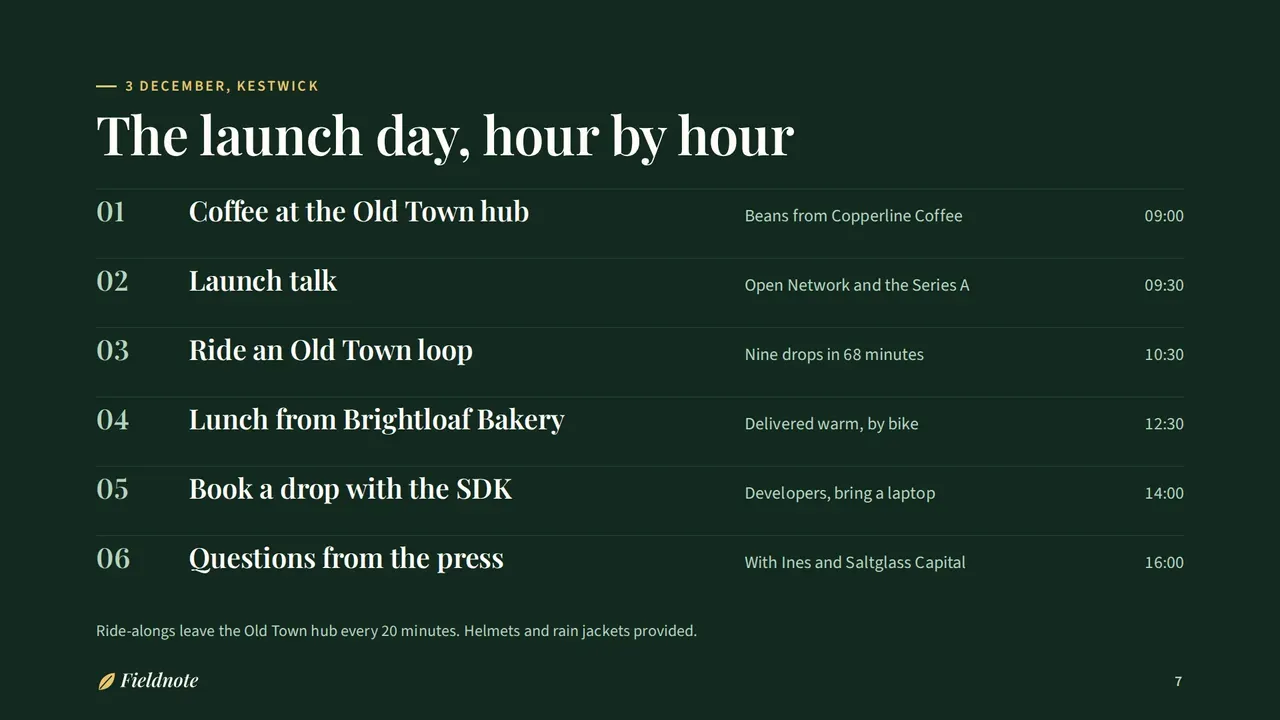
With five to seven items, the detail moves beside the title on one line and the titles are set a step smaller. A day’s programme with clock times fits this form.
When to use it
- For the plan of the talk. Each item is a part you will present. Points of an argument belong on a
contentslide, and a process onsteps. - Three to seven parts. The schema takes no fewer and no more. More than seven parts need grouping first.
- Again between parts. Repeat the same items and set
current:to the part that starts (1 is the first). Leavecurrent:out on the first agenda. - Short labels.
titletakes up to 40 characters,detailup to 44 andtimeup to 7 (10 min,09:30). With five to seven items the limits drop to 36 and 32. - A practical note (breaks, where the slides are) goes in
<Footnote>, up to 18 words. The slide title is one line of up to 48 characters.
Reference
- Frontmatter
layout: agenda- Surface
- the deck's default
- Title
- required, 48 characters at most
- PowerPoint
- content slide
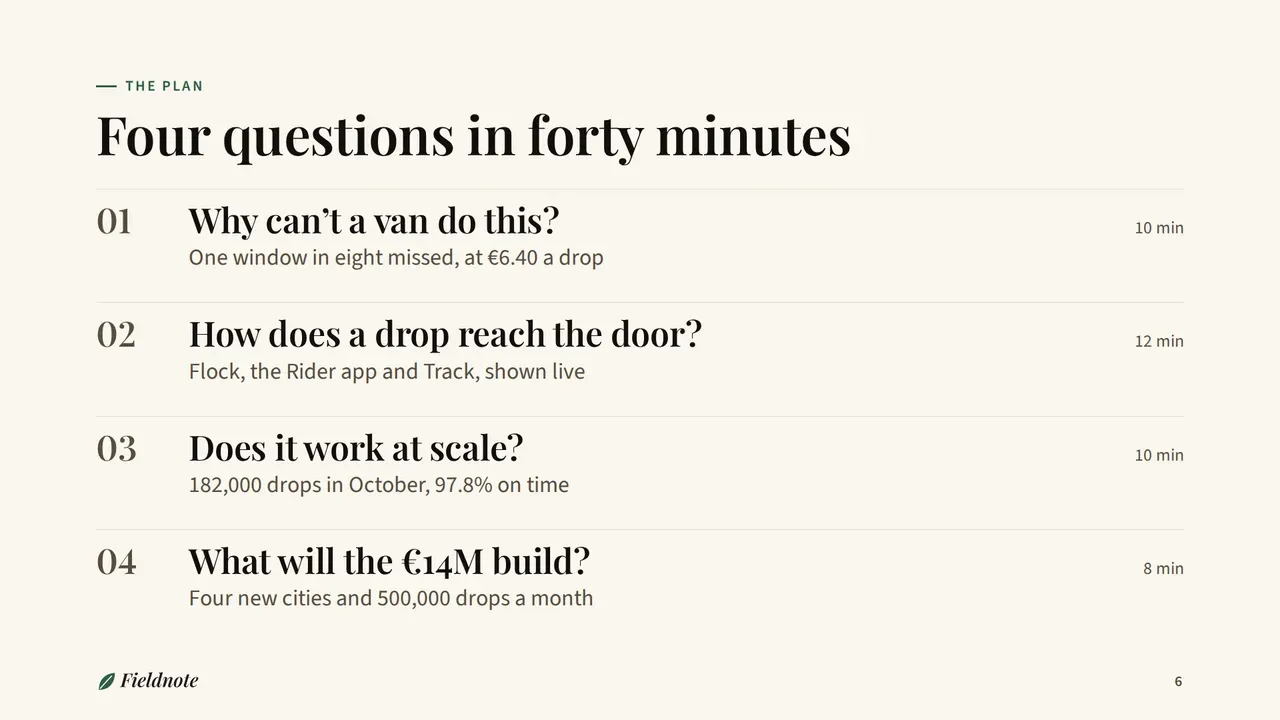
The parts of the talk as a numbered list of three to seven items, each with an optional line of detail and a time or duration. Show it once after the cover, and again between parts with current: set to the part that starts (1 is the first): that item is marked and the ones before it fade, so the room sees where they are. Use it for the plan of the talk, not for points of an argument (content) or a process (steps); more than seven parts need grouping.
Slots
| Slot | Takes | Budget | What goes in it |
|---|---|---|---|
body | — | Content outside every slot tag (in TSX, the default export). | |
<Footnote> | text | 18 words | A practical note on the bottom line: breaks, where the slides are. |
Frontmatter fields
| Field | Values | How to use it |
|---|---|---|
eyebrow | text | Write a few words of at most 40 characters, for example eyebrow: Budget committee, or leave it out. |
itemsrequired | text | List 3 to 7 items in order, each with title (up to 40 characters, 36 in an agenda of five to seven) and optionally detail (up to 44, 32 in an agenda of five to seven) and time ("10 min", "09:30", up to 7). |
current | text | Write the number of the part that starts now, current: 2 for the second item, on an agenda shown between parts; leave it out on the first agenda. |
chrome | true (default) false | Write chrome: false to hide the page number, logo and progress bar on this slide, or chrome: true to show them. |
Variants
- 5 to 7 items —
items[].title: 36 characters;items[].detail: 32 characters
Example
---
layout: agenda
title: Four questions for the committee
eyebrow: Agenda
items:
  - title: Why Eastgate
    detail: Where the heat lands and who it lands on
    time: 5 min
  - title: What the pilot showed
    detail: Three summers on Holloway Road
    time: 8 min
  - title: The plan
    detail: "Ten years, hottest blocks first"
    time: 5 min
  - title: The ask
    detail: A capital line and three posts
    time: 2 min
---

<Notes>
Name the four parts, then say the ask comes last and takes two minutes.
</Notes>
Common mistakes
-
Long titles in a longer agenda. A title that fits a four-item agenda can be too long once you add a fifth item, because the “5 to 7 items” variant tightens the limits.
deck lintreports it as aschemaerror that names the item:$ deck lint launch-review decks/launch-review/slides/day-plan.mdx error schema (day-plan): items[0].title: The agenda layout sets at most 36 characters here (5 to 7 items), got 39. Fix: Shorten it to the essentials; `deck layouts --json` lists the limits of each variant. launch-review: 1 error, 0 warnings. -
A
current:past the last item. On an agenda of five items,current: 6is aschemaerror: “current: 6 names item 6, but there are 5 items.” -
Text outside
<Footnote>. The layout draws only its items and the footnote. A paragraph under the frontmatter is not shown, anddeck lintdoes not report it. Put what you will say in<Notes>. -
Items that change between copies. The repeated agenda only says “we are here” when its items match the first one. Copy the slide and change only
current:and the title.
Related layouts
section: opens one part with a large number, where the agenda shows all of them.steps: a process in three to five steps, with its owncurrent:.timeline: milestones with dates, not parts of the talk.content: the points of an argument, as a paragraph or bullets.
Layouts, slots and variants are explained on layouts and slots.