The quote layout lets someone else make the point: a customer, a resident, a user or a partner, in their own words. The words are set large in the brand’s quote style with their name and role under them, and their portrait beside them if you have one.
Example
---
layout: quote
title: A sample used to wait for the van
eyebrow: Nine clinics, one lab
name: Dr Imogen Hale
role: Lab services manager, St Brenna Hospital
surface: inverse
budget: 30s
---

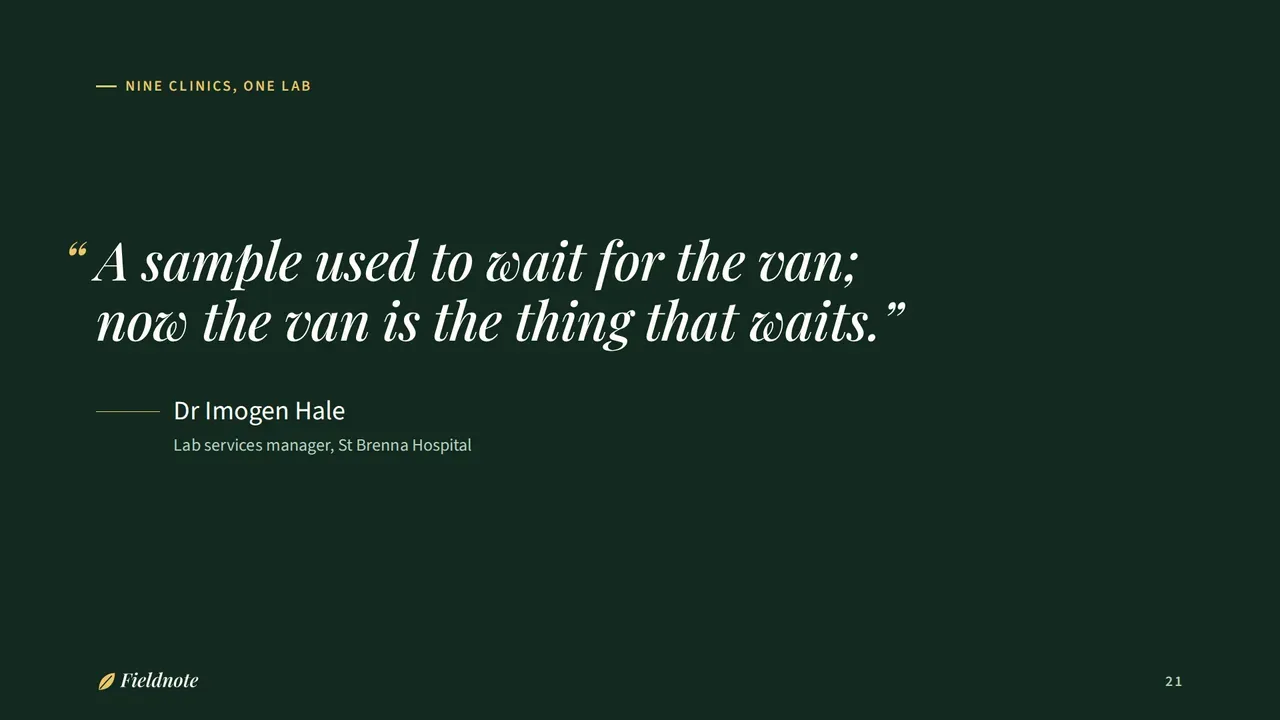
A sample used to wait for the van; now the van is the thing that waits.

<Notes>
`quote` without `photo:`, on the inverse surface, so the words take the width of the slide; use it when there is no portrait or the words should stand alone.
St Brenna moves blood samples between nine clinics and its lab. Since June 2025 a sample's trip from clinic to lab has fallen from 74 minutes to 31.
</Notes>
Slide 21 of the lookbook deckView on GitHub
Without photo:, the quote takes the width of the slide. The layout sets the quotation marks, hanging in the margin, and the eyebrow is the only text above. The slide’s title: is not drawn: it names the slide, and the PowerPoint export uses it as the slide title. The entry under Reference shows the same layout with a portrait.
When to use it
- Someone else says it better. For the talk’s own claim, use
statement. To introduce people rather than quote them, usebiofor one andteamfor several. For two or three testimonials side by side, usevoices; for an exchange of messages,conversation. - One to three sentences, up to 36 words. A longer quote steps down in size before
deck lintstops it at 36. - Say who said it.
name:is required, up to 40 characters;role:takes up to 64. - Add a portrait with
photo:(a file in the deck folder). The quote then keeps to the left and the portrait stands on the right;focal:keeps the face in view when it is cropped. - Change the surface to make one testimonial stand out from the rest:
surface: accentorsurface: inverse.
The layout has one slot, the body. There is no <Footnote> or <Caption>; put where the quote comes from in role: or in the notes.
Reference
- Frontmatter
layout: quote- Surface
- the deck's default
- PowerPoint
- content slide
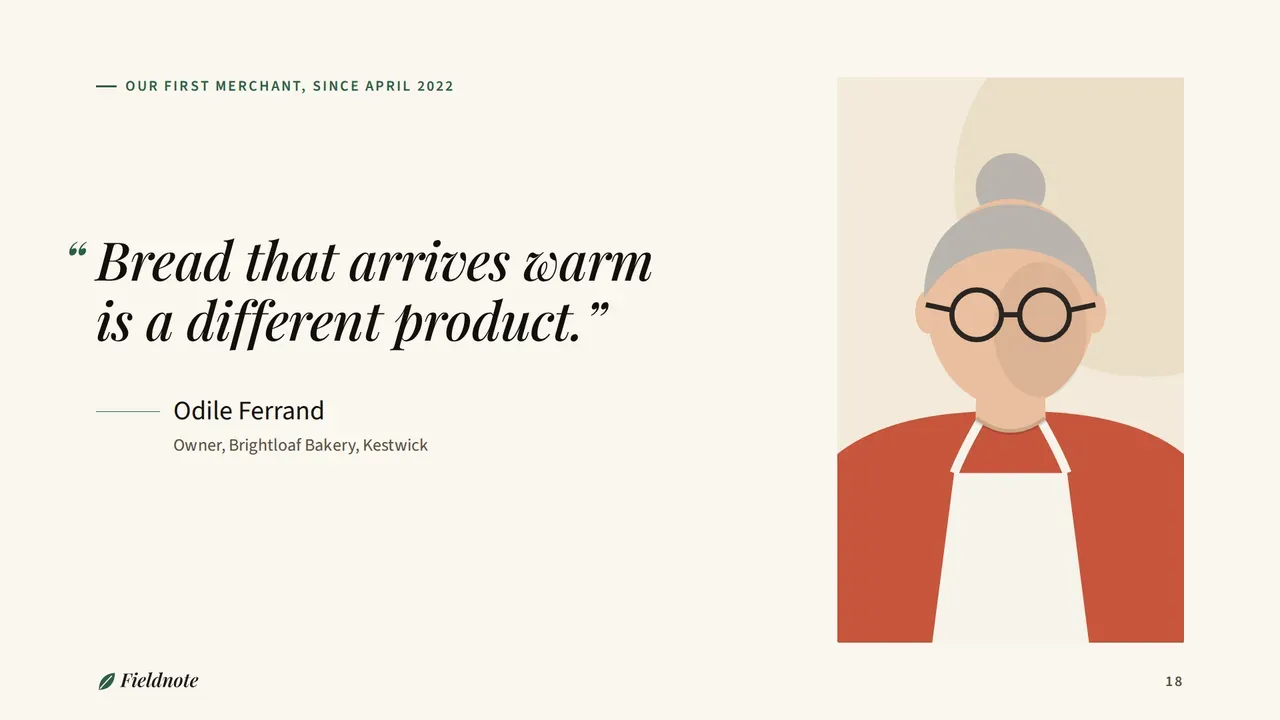
A person speaking for the point: a testimonial, a resident, a user, a partner. The words are set large in the brand quote style with hanging marks; name: and role: say who said it, and photo: sets their portrait beside the quote (cropped to it, the face kept in view with focal). Keep it to one to three sentences; a longer quote steps down in size and past 36 words is cut. Use statement for the talk's own claim, and team or bio to introduce people; use voices for several testimonials or conversation for an exchange.
Slots
| Slot | Takes | Budget | What goes in it |
|---|---|---|---|
bodyrequired | quote, text | 36 words | The words, without quotation marks (the layout sets them): one to three sentences. |
Frontmatter fields
| Field | Values | How to use it |
|---|---|---|
eyebrow | text | Write a few words of at most 40 characters, for example eyebrow: Budget committee, or leave it out. |
namerequired | text | Name who said it, for example name: Mariam Haddad (up to 40 characters). |
role | text | Say who they are in a few words, for example role: Charge nurse, Eastgate General (up to 64 characters). |
photo | text | Give their portrait as a file in the deck folder, for example photo: assets/mariam.jpg, or leave it out to set the quote across the slide. |
focal | text | Name the part of the photo to keep when it is cropped, as a CSS position: focal: top, focal: center 30% (a face in the upper third) or focal: 40% 20%. |
treatment | text | Name one of the brand's image treatments, for example treatment: plain (every brand has it) to show a screenshot, map or chart in its own colors; deck brand --json lists them under imagery.treatments. |
chrome | true (default) false | Write chrome: false to hide the page number, logo and progress bar on this slide, or chrome: true to show them. |
Example
---
layout: quote
title: What the night nurses told us
eyebrow: From the ward
name: Mariam Haddad
role: "Charge nurse, Eastgate General Hospital"
---

The worst nights are the second and third of a heatwave, when the flats never cool down.

<Notes>
Read the quote slowly, then pause before the next slide.
</Notes>
Common mistakes
-
A quote that runs on. Past 36 words,
deck lintreports it with thecontent-budgetrule:$ deck lint launch-review decks/launch-review/slides/nurse.mdx error content-budget (nurse): The body slot holds 44 words; its layout allows 36. Fix: Cut it to the essentials, split the slide, move detail into speaker notes, or pick a layout made for more content (`deck layouts`). launch-review: 1 error, 0 warnings in 1 slide (1 step checked). -
Quotes as bullets. The body takes a quote or text, not a list:
slot-contentreports “The body slot holds a list of 2 items; the quote layout sets it as quote or text.” -
No
name:. A quote without a speaker is aschemaerror, “name is required.” -
Quotation marks in the body. Write the words without them; the layout adds its own.
-
Writing the point in
title:. It does not appear on the slide. If the room needs your claim as well as the quote, give it astatementslide of its own.
Related layouts
statement: one sentence of your own, set large; with<Attribution>it also sets a short quote.bio: introduces one person, usually the speaker.team: two to eight people with names, roles and photos.image: a photo across the slide when the place, not the person, makes the point.voices: two or three short testimonials in equal columns, each with a name and a role.conversation: a chat transcript of two to four messages, with each side named.
How layouts step text down in size to fit is on text and fitting.