A brand is a folder under brands/ that sets a deck’s colours, type, logo, icons and motion. This page shows you how to add one of the published brands, or a brand from any git repository, to your workspace, pick a brand for a deck, and render the same deck in another brand without editing a slide.
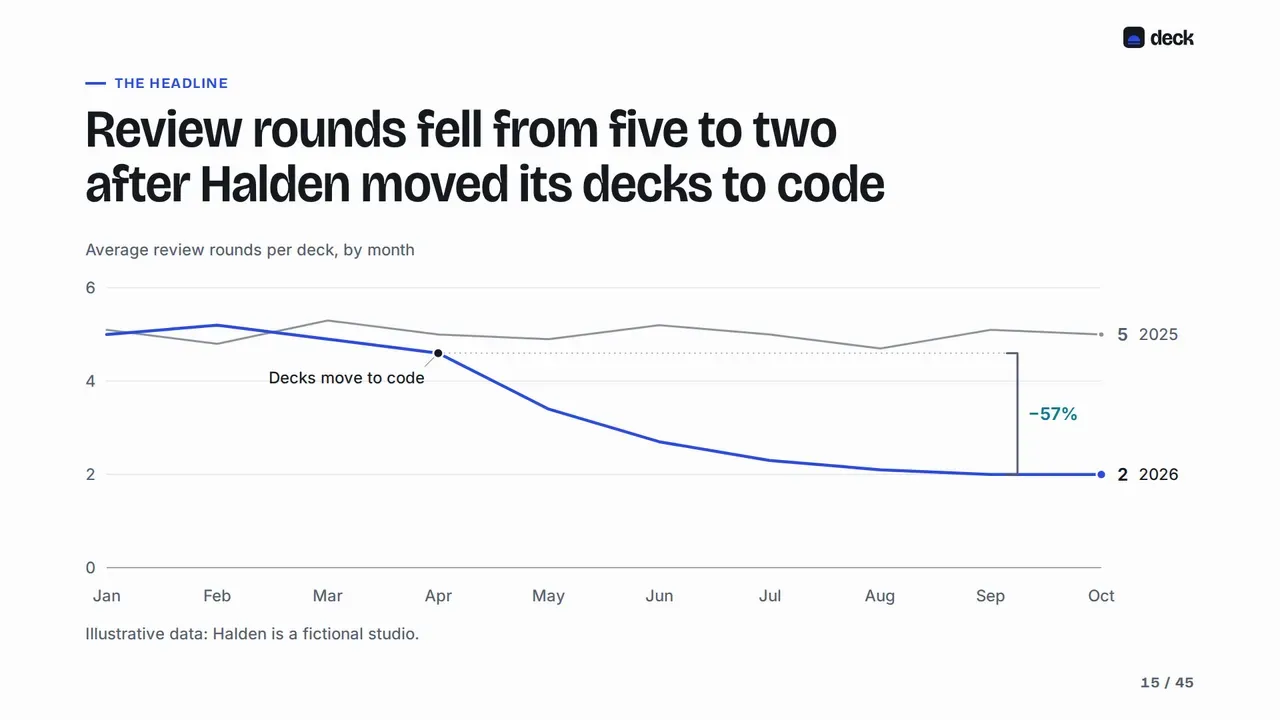 default
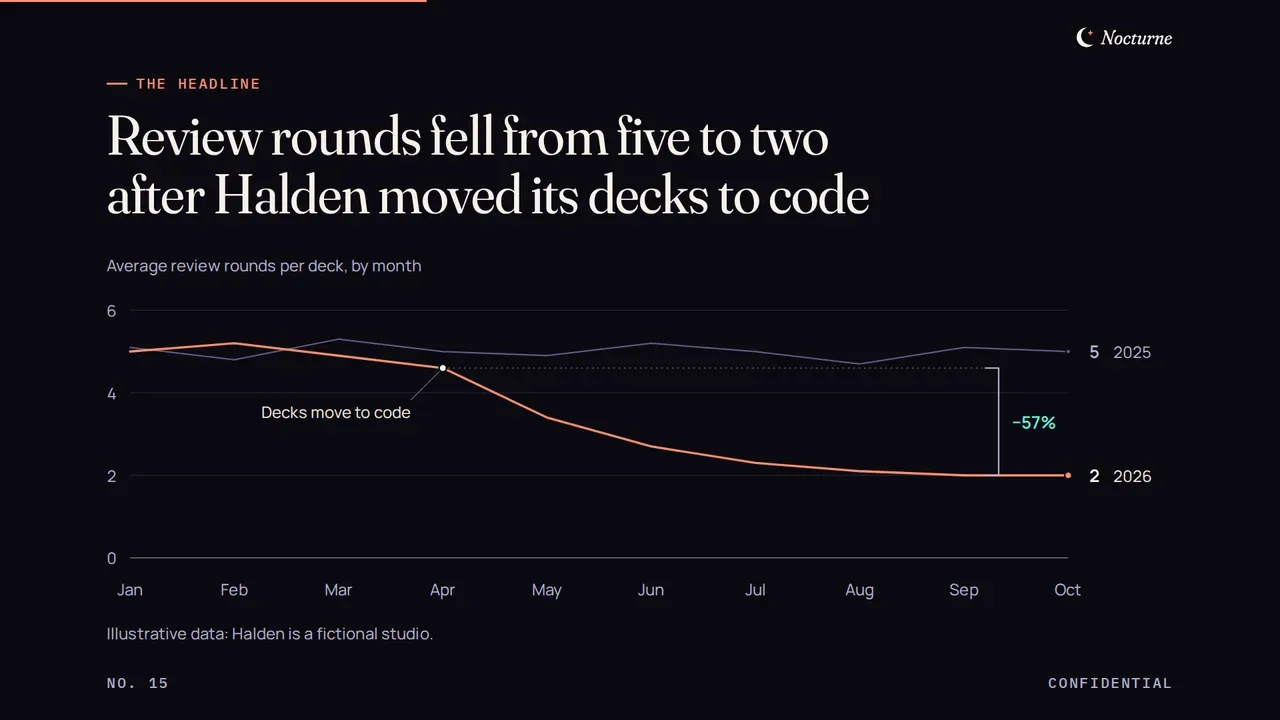 nocturne
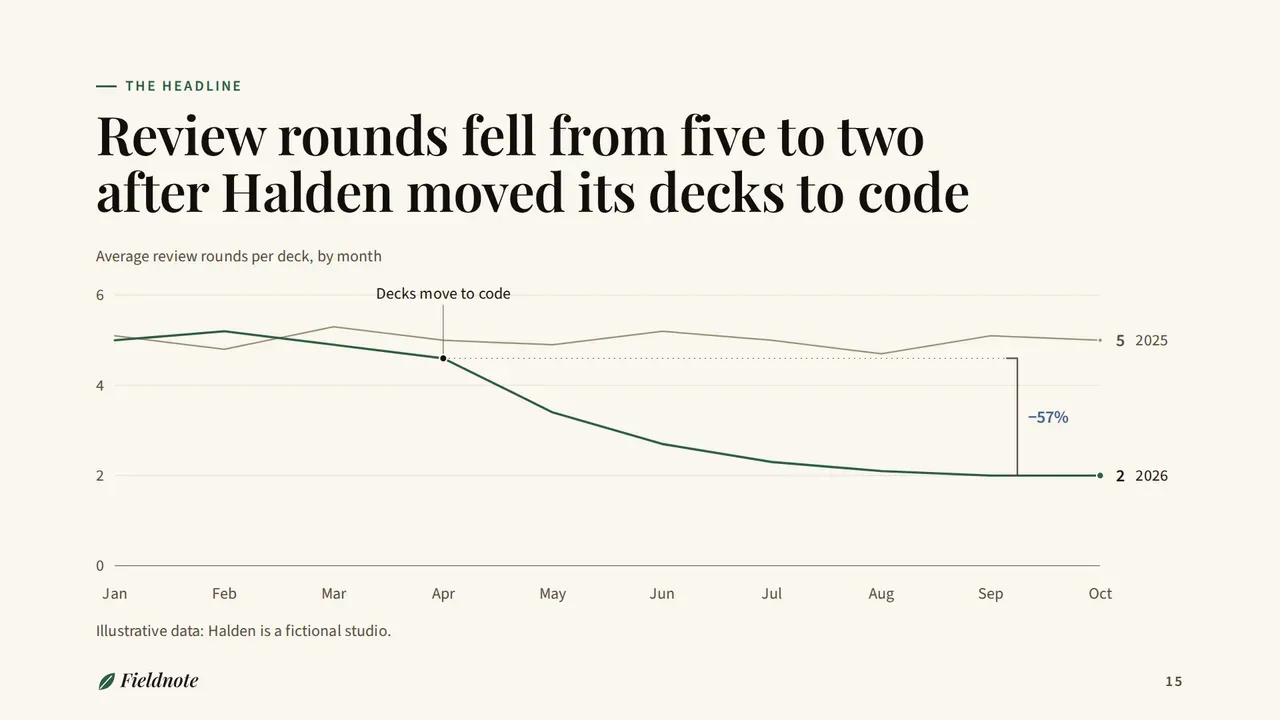 fieldnote
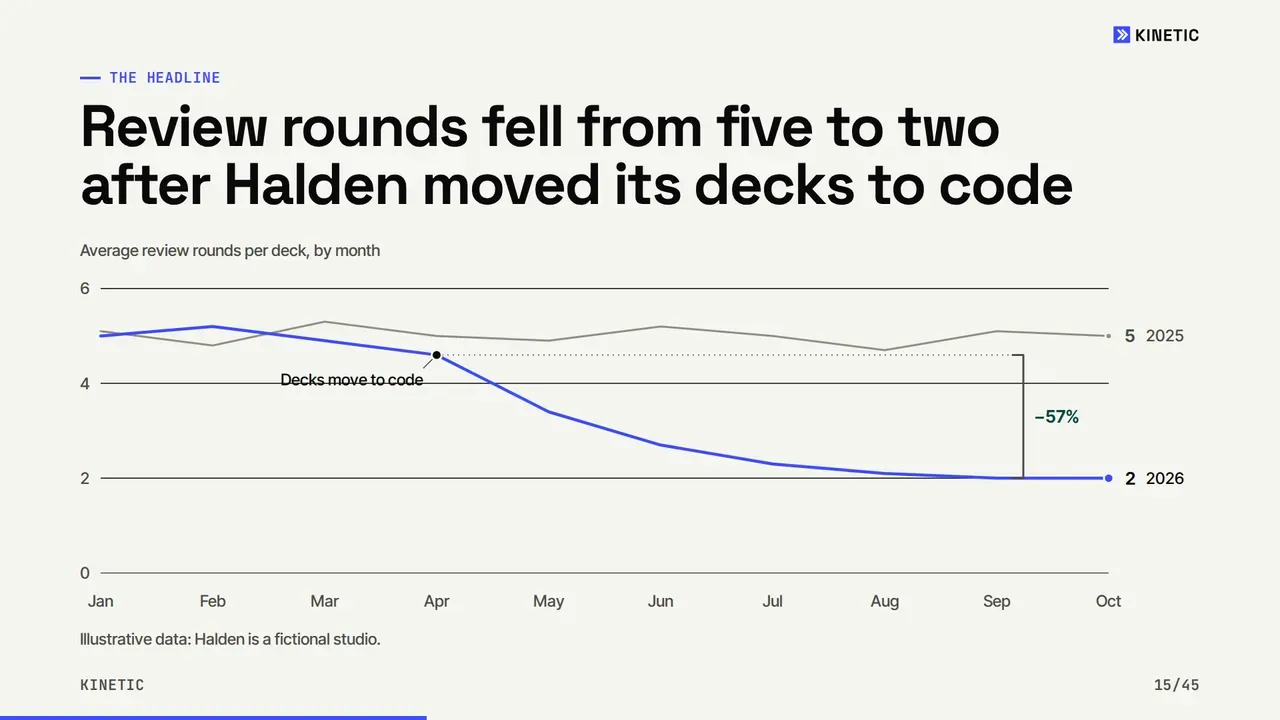 kinetic
 tidewater
--brandWhich brands you have
Only default ships with the npm CLI. It works in every workspace, even one without a brands/ folder. The other four published brands, nocturne, fieldnote, kinetic and tidewater, are folders in the repository’s brands/ folder. The site’s ordinary slide previews use Fieldnote, which you can add to your own workspace. deck brand add copies one into your workspace, and so it does any brand folder in a git repository you can read.
Add a published brand
These steps add nocturne to a workspace called talks. The other three work the same way. Only the font packages differ, and deck brand add names them.
-
Add the brand from the repository. Use the tag that matches your CLI version, and make sure
gitis on yourPATH.$ deck brand add gh:sandrinodm/deckster/brands/nocturne#v0.7.0 Fetching gh:sandrinodm/deckster/brands/nocturne#v0.7.0 with git... Added brands/nocturne/ from gh:sandrinodm/deckster/brands/nocturne#v0.7.0 at d9d67a4 (4 files). Left out: package.json (package file), tsconfig.json (package file). Next: npm install @fontsource-variable/fraunces@5.3.0 @fontsource-variable/manrope@5.3.0 @fontsource/ibm-plex-mono@5.3.0 deck brand check nocturneIt writes
brands/nocturne/withbrand.ts, the two logos and the README, and leaves out thepackage.jsonandtsconfig.jsonthat tie the folder to the repository. Fonts are not installed: theNext:lines say what to run, with the versions the source repository gives the font packages (the brand’spackage.json, read through the repository’s pnpm catalog where it sayscatalog:). -
Install the font packages in the workspace folder, the one that holds
decks/andbrands/. If it has nopackage.json,npm installcreates one.$ npm install @fontsource-variable/fraunces@5.3.0 @fontsource-variable/manrope@5.3.0 @fontsource/ibm-plex-mono@5.3.0 added 3 packages in 2s 3 packages are looking for funding run `npm fund` for details -
Check the brand:
$ deck brand check nocturne
brands/nocturne/brand.ts
nocturne: is valid (0 errors, 0 warnings).
Before the fonts are installed, the check fails with one error per package, such as
typography.families.display.source.package: @fontsource-variable/fraunces is not installed for brands/nocturne.
The CLI already carries the fonts of default (Bricolage Grotesque, Inter and JetBrains Mono), so a brand that uses only those needs no install. Check a brand explains the rest of what deck brand check reports.
Add a brand from another repository
deck brand add <source> reads a git repository over HTTPS or SSH. The source names the repository, the folder that holds brand.ts, and optionally a ref after #, a branch, a tag or a full commit hash. Without a ref it takes the default branch.
| Source | Example |
|---|---|
gh:<owner>/<repo>/<folder>#<ref>, over HTTPS |
gh:acme/brand-kit/brands/acme#v2 |
| A GitHub link to the folder | https://github.com/acme/brand-kit/tree/v2/brands/acme |
Any HTTPS or SSH address, with the folder after // |
git@github.com:acme/brand-kit.git//brands/acme#v2 |
It runs your own git, so your credential helper, SSH key and url.<base>.insteadOf rules apply. It fetches only that folder, at the commit the ref names, and each network step may take up to two minutes. The installed folder takes its name from name in brand.ts.
What it copies and what it refuses:
- Plain data. The importer reads
brand.tsandlayouts.tswithout running them. Writebrand.tsas onedefineBrandcall around plain values. The importer checks the brand before installing it. After you install any missing font packages, rundeck brand check <name>to check the installed files and layouts. - Only brand files.
brand.ts,layouts.ts, images (svg,png,webp,jpg,jpeg), fonts (woff2,woff,ttf,otf), documents (md,txt,json) and licence files. Other code, symlinks, hidden files and package files (package.json, lock files,tsconfig.jsonand the like) are left out, andLeft out:lists them. At most 500 files and 50 MiB. - Replacement. When the workspace already has a brand of that name, the command stops with
The workspace already has brands/nocturne/.Pass--forceto replace it. A successful replacement starts its report withReplaced. See Recover an interrupted replacement for the recovery behavior.
A source that is not a brand folder fails before anything is written:
$ deck brand add gh:sandrinodm/deckster/decks/hello#v0.6.0
Fetching gh:sandrinodm/deckster/decks/hello#v0.6.0 with git...
gh:sandrinodm/deckster/decks/hello#v0.6.0 has no brand.ts, so it is not a brand folder.
Point at the folder that holds brand.ts, such as gh:owner/repo/brands/<name>.
--json prints { ok, brand, dir, source, commit, replaced, files, written, skipped, fonts, warnings, next }: skipped has each left-out file with its reason, fonts each font package with its version and whether it is installed, and next the commands to run. The full help is under deck brand.
SVG artwork during installation
The importer cleans SVG files in the staged brand before installing it. It preserves intrinsic dimensions and supported references within the same SVG, such as gradients and clip paths. It strips scripts, event handlers, and external references. When it removes unsupported markup, it warns with the asset’s path. Preview the brand after import to check the artwork.
An SVG must be well-formed UTF-8 XML with one SVG root. A file the importer cannot read as SVG stops the install and leaves the previous brand in place when replacing it. Fix or re-export the named asset in the source repository, then retry with the corrected ref.
Authenticate to a private repository
For HTTPS, use your git credential helper. For GitHub you can sign in with gh auth login and choose HTTPS and Git authentication when prompted. For SSH, load the key your git host accepts into your SSH agent. Use a source address without a token or password. HTTPS sources omit the user name, and SSH sources can include the account name, such as git@.
If the fetch fails, run git ls-remote <repository-url> in the same terminal, with the repository URL alone. Leave off the // folder suffix and the # ref. This checks whether Git can reach and authenticate to the repository. Once it works, check the folder path and ref in your deck brand add command.
New in v0.7.0. The importer validates the source before printing the fetch line. Invalid-source errors explain what to fix without echoing the supplied address. If Git fails, the importer prints the failed step and its status where available, while keeping Git’s raw diagnostics out of the CLI output. See Credential-safe brand sources.
Recover an interrupted replacement
New in v0.7.0. Brand installation changelog.
deck brand add <source> --force stages and checks the replacement under brands/ before publishing it. Installs of the same brand take turns. If publication fails after moving the previous brand, the installer restores it when the destination is free. After a process interruption, retry the same source. The installer recovers the previous brand or finishes cleaning up a published install before it checks whether it can proceed. Leave out --force on that retry if you want to check the recovered brand first.
If the error says the destination already exists and the previous brand is preserved, keep both folders while you check them. The message gives the paths. Move the conflicting destination aside and restore the previous brand to brands/<name>/, or move the saved copy somewhere safe before retrying. The transaction files live under brands/.deck/brand-add/<name>/. Keep brands/.deck/ out of git and leave its lock files in place. The directories .deck/, brand-add/ and <name>/ in that path must be real directories. If the installer reports an existing link or other entry there, move that entry somewhere safe before retrying.
After a successful install, follow the printed font commands and run deck brand check <name>. See layout checks during installation for the catalog checks.
Which brand a deck uses
A deck names its brand in deck.config.ts. deck new writes it, default unless you pass --brand:
$ deck new board-update --brand nocturne
decks/board-update/deck.config.ts
decks/board-update/slides/title.mdx
Next: run `deck dev board-update`. For editor type checking, run `deck types` once (again after upgrading @deckster/cli).
import { defineDeck } from '@deckster/engine/config';
export default defineDeck({
title: 'Board update',
brand: 'nocturne',
slides: ['title'],
});Change brand: to switch the deck for good. A deck config without a brand key uses default. The brand must already be in the workspace. Before you add nocturne, the same command fails:
$ deck new board-update --brand nocturne
There is no brand "nocturne". Brands: default.
Run `deck new --help` for the usage.
Render a deck in another brand
To try a brand without touching the deck, pass --brand <name> to deck dev, present, shot, lint, diff or export. The slides stay the same; the brand changes every colour, family, size and logo they draw.
deck dev launch-review --brand nocturne
deck lint launch-review --brand nocturne
deck shot launch-review --brand nocturne
Commands that write files keep each brand apart with an @<brand> suffix: deck shot writes to .deck/shots/launch-review@nocturne/, deck export to .deck/exports/launch-review@nocturne, and deck diff adds the same suffix to its folders. deck present --built can’t be combined with --brand. To compare a deck across every published brand at once, see one deck in every brand.
See what a brand sets
deck brand <name> prints a summary: the three families, the type scale in canvas pixels, the spacing, the brand’s own layouts, every role on every surface, the diagram look and the cards:
$ deck brand nocturne
Nocturne (brands/nocturne/brand.ts)
Fonts: display Fraunces, body Manrope, mono IBM Plex Mono
Type: display 168px, headline 84px, title 56px, lead 38px, body 34px, small 26px, caption 24px, label 22px, stat 184px, quote 88px, code 26px
Spacing: 2xs 6px, xs 12px, sm 20px, md 32px, lg 48px, xl 80px, 2xl 120px, 3xl 176px; margins 160x112px
Layouts: none (layouts.ts adds the brand's own slide layouts)
Surfaces:
  default (dark): bg #0b0911, surface #181426, fg #efe7da, heading #f7f2ea, muted #b4aed0, accent #ff8f6b, accent-fg #0b0911, border #2d2645, positive #5eead4, negative #ff6f84
  inverse (light): bg #f7f2ea, surface #efe7da, fg #0b0911, heading #0b0911, muted #433a63, accent #c23f1e, accent-fg #f7f2ea, border #e0d4c1, positive #0e7490, negative #b3263c
  accent (light): bg #ff6f4a, surface #ff8f6b, fg #0b0911, heading #0b0911, muted #1f1a30, accent #0b0911, accent-fg #ffb59a, border #c23f1e, positive #0c4a6e, negative #5c0f1f; small text: positive #003755
  gradient (dark): bg #0b0911, surface #f7f2ea14, fg #efe7da, heading #f7f2ea, muted #d6d2e8, accent #ffb59a, accent-fg #0b0911, border #f7f2ea29, positive #67e8f9, negative #ffb59a
Diagrams: edges 1px, sharp corners, open arrowheads; groups 1px dashed, radius 0px; plain edge labels in the label step
Cards (colors on the default surface):
  default: fill #181426, border #b4aed0 1px, radius 0px, plain icon, title display 400
  outline: no fill, border #b4aed0 1px, radius 0px, plain icon, title display 400
  solid: fill #ff8f6b, no border, radius 0px, plain icon, title display 400
  tint: fill #ff8f6b1f, border #ff8f6b 1px, radius 0px, plain icon, title display 400
  raised: fill #181426, border #ff8f6b 1px, radius 0px, lg shadow, plain icon, title display 400
Run `deck brand nocturne --json` for every token.
Without a name it prints default. --json prints every resolved token as hex colours and canvas pixels: palette, surfaces, gradients, typography, shape, spacing, logo, icons, imagery, chrome, motion, data and charts, and the brand’s layouts with their defaults filled in. The fields themselves are listed in the brand schema.
Icons when you switch brands
Each brand draws its icons from one Iconify set: default and tidewater use Lucide, and nocturne, fieldnote and kinetic use Tabler. An icon name that exists in only one set breaks the deck in the other brand. Say a risks slide of launch-review has <Icon name="arrow-big-down-dash" />, a Lucide name. deck lint launch-review passes, but in nocturne lint reports the icon, and deck dev shows the same error:
$ deck lint launch-review --brand nocturne
decks/launch-review/slides/risks.mdx
  error   schema (risks): Line 21, column 3: <Icon name="arrow-big-down-dash"> is not an icon of the tabler set.
          Fix: Closest names in the tabler set: arrow-big-down-line, arrow-big-down, arrow-big-down-lines, arrow-big-down-filled, arrow-down-dashed, arrow-bar-down. Browse the set at https://icon-sets.iconify.design/tabler/. A deck that renders in several brands needs a name that every brand's set has.

launch-review: 1 error, 0 warnings.
For a deck that renders in several brands, pick names from deck icons, which lists only the names every brand you name has:
$ deck icons --brand default,nocturne --search arrow-big
4 icon names matching "arrow-big" in every one of: default (lucide), nocturne (tabler)
Sets: lucide, tabler

arrow-big-down, arrow-big-left, arrow-big-right, arrow-big-up
Without --brand it uses every brand in the workspace, default included. The icons reference lists the names all five published brands share.
To make a look of your own, create a brand, or have an agent import one from a template, PDF or website.