The exercise layout sets a task for the audience: a title naming what to do, the duration as a large figure, two to five numbered instructions and a one-line output naming what to produce, with an optional line saying who works together. Use it for a workshop activity, a short practice task or a discussion that must end with something concrete, and leave it on screen while people work.
Example
---
layout: exercise
title: Plan Brightloaf's first Open Network drop
eyebrow: Put it into practice
surface: inverse
duration: 10 min
groups: In pairs
instructions:
  - Open the console with a test key.
  - Use Brightloaf as pickup and 14 Weir Street as dropoff.
  - Choose the same-hour delivery window.
  - Find the drop id and follow its status.
  - Explain how you would confirm the handover.
output: One test drop id and a handover check
budget: 45s
---

Use the loaf's journey to practise booking a drop before sending a real parcel.

<Footnote>Use a test key; the console link is wrenhaul.example/start.</Footnote>

<Notes>
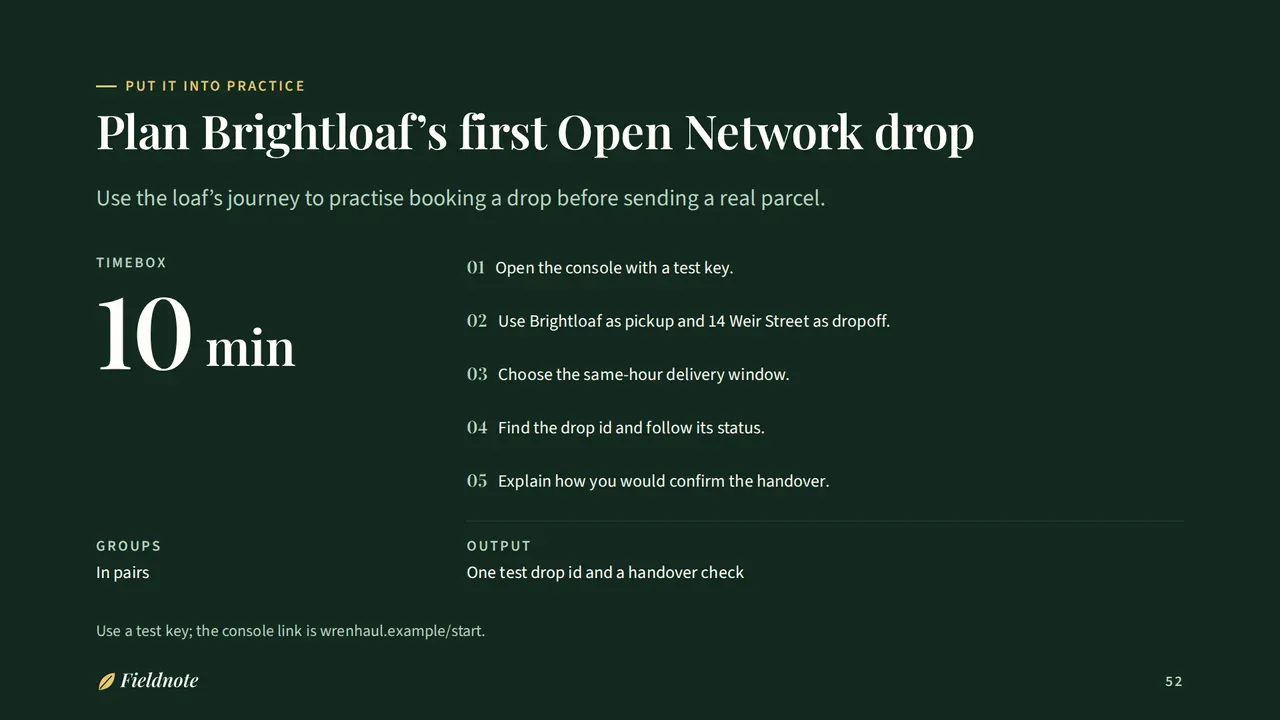
`exercise` with five instructions, `groups`, context and a footnote on the inverse surface; use it when pairs need a complete brief they can refer to while working.
Give one partner the console and the other the job of checking the handover. Introduce the ten-minute task, then keep the brief visible while the pairs work. The speaking budget covers the introduction, not the activity.
</Notes>
Slide 52 of the lookbook deckView on GitHub
duration: 10 min is the large timebox on the left, groups: In pairs sits under it, and output: names the deliverable at the bottom right. The five items of instructions: are numbered 01 to 05 in order. The body is one sentence of context, and the <Footnote> holds a source or reminder. surface: inverse sets the slide dark.
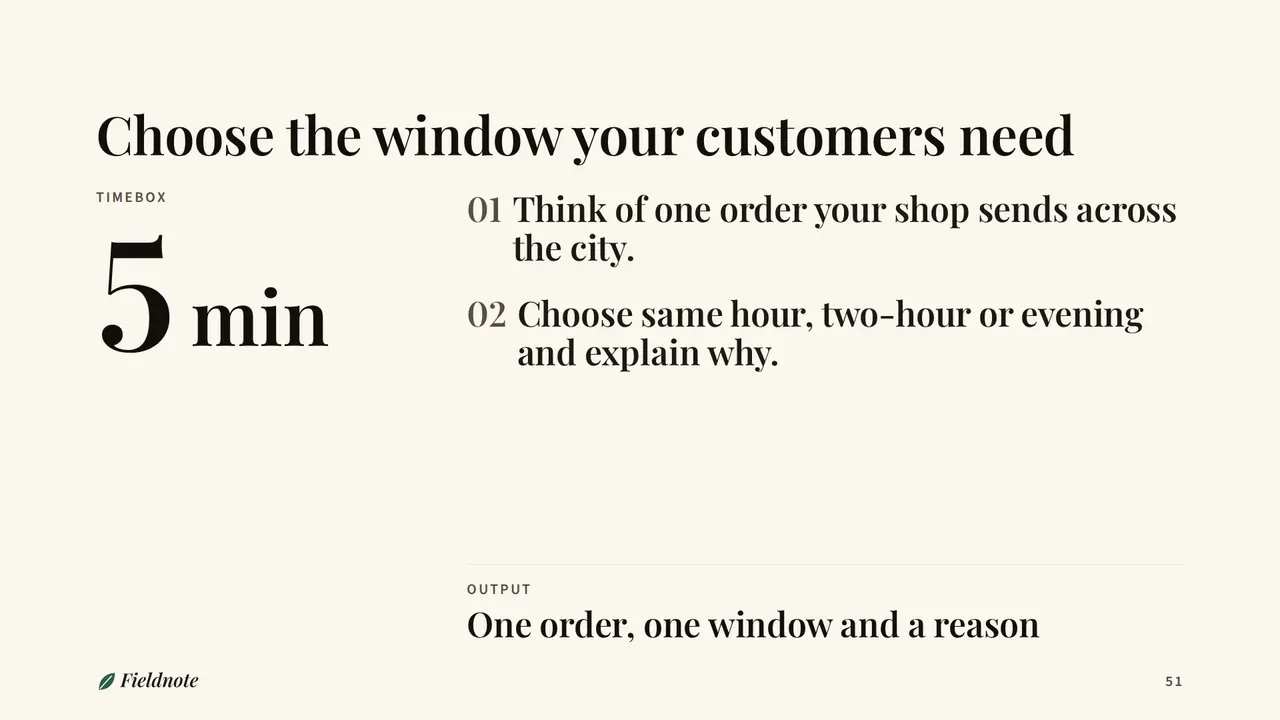
With two instructions and no groups, body or footnote, the instructions are set larger to use the room.
When to use it
- The audience does the task. The slide is a brief to work from. To explain a process the audience watches, use
steps, and for the parts of the session useagenda. - A timebox, a list and a deliverable.
duration,instructionsandoutputare required. The duration is up to 8 characters with its unit, such as10 min. - Two to five instructions. Each is up to 80 characters, or 64 with four or five, and starts with a verb.
- Name what people produce.
outputis one line of up to 60 characters, andgroups, up to 24, says who works together, such asIn pairs. - Context is optional. The body takes one sentence, up to 14 words, and the
<Footnote>up to 16. - The labels are fixed. “Timebox”, “Output” and “Groups” are written by the layout in English, in the brand’s label style, and there is no
labelsfield to change them. - It shows whole. There is no
reveal; the brief stays visible throughout. - Speaking time and working time differ. The slide’s
budgetis how long you plan to speak, anddurationis the audience’s time. See MDX slides.
Reference
- Frontmatter
layout: exercise- Surface
- the deck's default
- Title
- required, 50 characters at most
- PowerPoint
- title-only slide
A task for the audience, with a title naming what to do, a duration set as a hero figure, two to five numbered instructions and a one-line output naming what to produce. An optional groups line says who works together. Use it for a workshop activity, a short practice task or a discussion that must end with a concrete deliverable. Keep the whole brief visible while people work. Use steps instead when explaining a process rather than asking the audience to do it, and agenda for the parts of the session.
Slots
| Slot | Takes | Budget | What goes in it |
|---|---|---|---|
body | text | 14 words | One sentence of context under the title. Put the task in instructions:. |
<Footnote> | text | 16 words | A source or facilitation reminder on the bottom line. |
Frontmatter fields
| Field | Values | How to use it |
|---|---|---|
eyebrow | text | Write a few words of at most 40 characters, for example eyebrow: Budget committee, or leave it out. |
durationrequired | text | Write the timebox with its unit, up to 8 characters, such as duration: 10 min. |
instructionsrequired | text | List 2 to 5 instructions in order, each up to 80 characters; with 4 or 5 instructions, each is limited to 64 characters. Start each with a verb. |
outputrequired | text | Name what people should produce, up to 60 characters, such as output: One annotated route map. |
groups | text | Say who works together, up to 24 characters, such as groups: In pairs, or leave it out. |
chrome | true (default) false | Write chrome: false to hide the page number, logo and progress bar on this slide, or chrome: true to show them. |
Variants
- four or five instructions —
instructions[]: 64 characters
Example
---
layout: exercise
title: Choose the next block to plant
duration: 10 min
groups: In pairs
instructions:
  - Compare the heat maps for Eastgate and Holloway.
  - Choose one block and mark the space for a large tree.
  - Explain how you will water it through three summers.
output: One marked map and a reason for your choice
---

Start with the hottest streets, then check what fits below the pavement.

<Notes>
Keep the task visible while pairs work. Invite two pairs to share their maps.
</Notes>
Common mistakes
-
Long instructions in a long list. The limit drops from 80 to 64 characters at four instructions, so a line that was fine in a list of three becomes a
schemaerror:$ deck lint launch-review decks/launch-review/slides/exercise-long.mdx error schema (exercise-long): instructions[0]: The exercise layout sets at most 64 characters here (four or five instructions), got 71. Fix: Shorten it to the essentials; `deck layouts --json` lists the limits of each variant. launch-review: 1 error, 0 warnings. -
Asking for
reveal: true. The exercise has no such field.deck lintreports aschemaerror:"reveal" is not a frontmatter field.and lists the layouts that have it. -
The task in the body. The body is context, up to 14 words. Write each action as an item of
instructions:. -
A single instruction. The schema asks for at least two: “Expected at least 2 instructions”.