The quiz layout puts one question to the room with two to four lettered choices. All the choices show first, and the next step marks the right one and shows a short explanation. Use it to test an assumption or to run a quick knowledge check before you give the reason.
Example
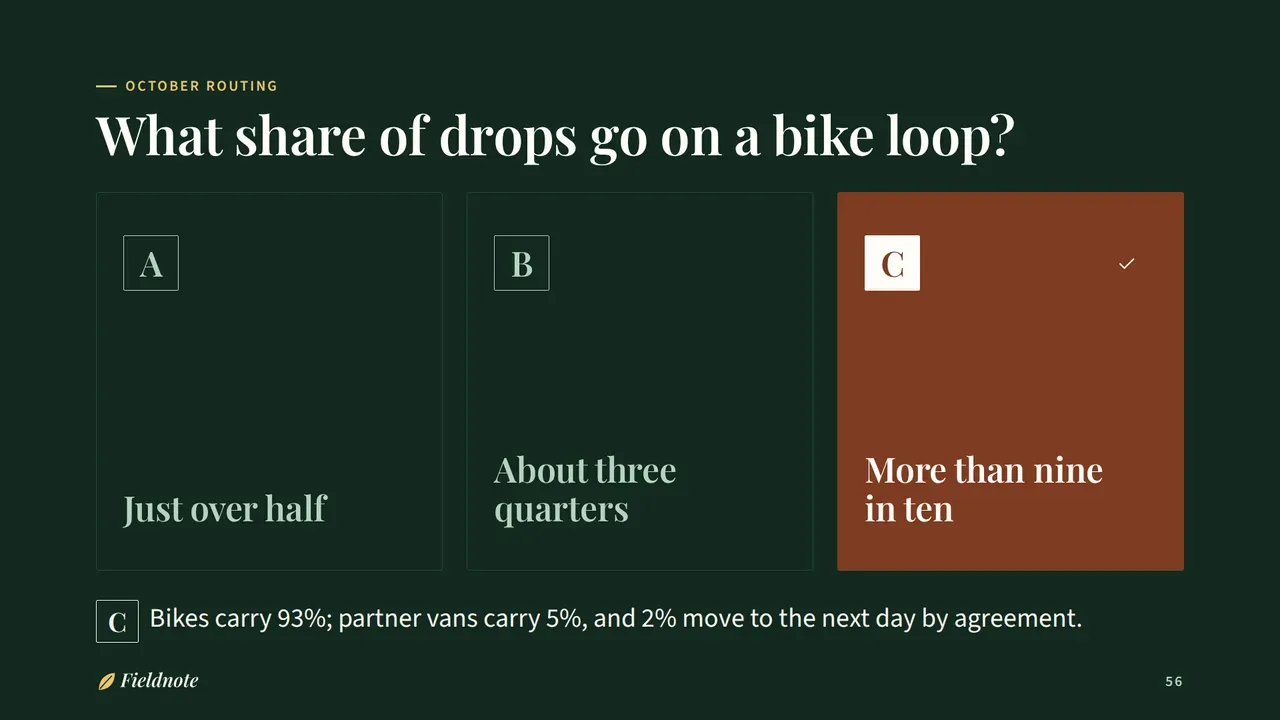
---
layout: quiz
title: What share of drops go on a bike loop?
eyebrow: October routing
surface: inverse
options:
  - Just over half
  - About three quarters
  - More than nine in ten
answer: C
explanation: Bikes carry 93%; partner vans carry 5%, and 2% move to the next day by agreement.
reveal: true
budget: 20s
---

<Notes>
`quiz` with three options, `answer: C` and an explanation on the inverse surface; use it to test an assumption about a proportion.
Ask the room how much of the network the bikes can handle.

[click] C: ninety-three per cent of drops go on a bike loop. The van partner covers five per cent; the remaining two per cent move by agreement.
</Notes>
Slide 56 of the lookbook deckView on GitHub
The title poses the question, options: lists the choices, lettered A to D in order, and answer: C names the right one. reveal is true by default, so the first step shows the choices alike and the second marks C with an accent panel and a tick, quiets A and B and shows explanation: underneath; the still shows that step. The explanation’s space is reserved from the start, so nothing moves when the answer arrives.
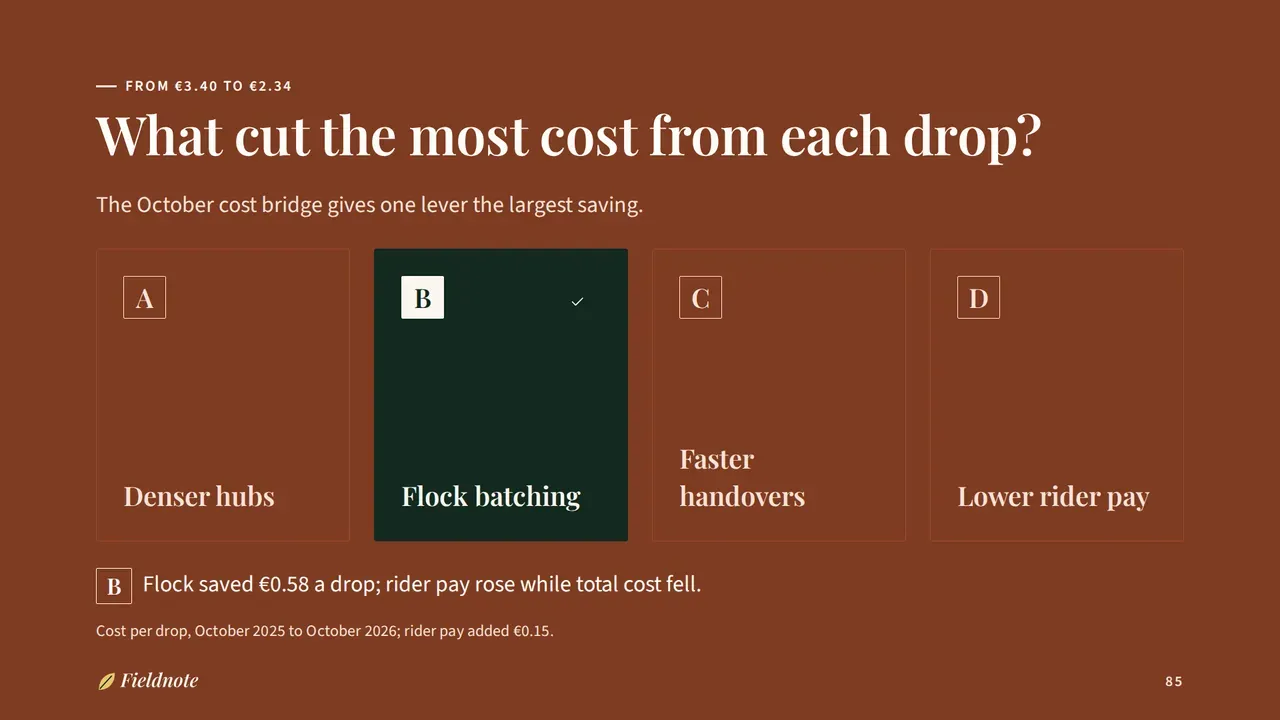
reveal: false shows the answered slide at once, as a recap, so it has no build. This one has four options, a body sentence and a <Footnote>, on surface: accent; on the accent and gradient surfaces the answer panel takes the inverse colour.
When to use it
- The question has one right answer. The title poses one specific question, up to 50 characters. Use
cardsfor parallel ideas with no right answer,comparisonfor alternatives measured on shared rows, andcontentfor an open question without fixed choices. - Two to four short options. Each option takes up to 72 characters. When every option has 24 characters or fewer they are set as tiles; if one is longer, all are set as full-width rows.
- The explanation is one reason, up to 100 characters, and appears with the answer.
- The body and footnote show before the answer. The body is one line of context, up to 14 words, and the footnote a source of up to 16, so neither is the place for the reason.
- Ask first, then click. Put one
[click]cue in the notes before the answer; see builds.
Custom labels
New in v0.6.1. Screen readers use choices for the list of answers and correct for the tick on the right answer. Set these fields in the slide frontmatter. Omitted labels keep their English defaults.
labels:
  choices: Antwortmöglichkeiten
  correct: Richtige Antwort
Reference
- Frontmatter
layout: quiz- Surface
- the deck's default
- Title
- required, 50 characters at most
- PowerPoint
- title-only slide
A question to the room: the title poses one specific question and options: gives two to four short choices, lettered A to D in order. answer: names the right letter. All choices show first; the next step marks the answer with an accent panel and a tick, quiets the other choices and shows the optional explanation: underneath. The space is reserved so nothing moves when the answer arrives. reveal defaults to true; set it to false for an answered recap. Short options use tiles; longer options use full-width rows. A plain export shows the answer; a per-step export (--steps) shows the question, then the answer. Use it to test an assumption or invite a quick knowledge check before giving the reason. Use cards for parallel ideas with no right answer, comparison for alternatives measured on shared rows, and content for an open question without fixed choices. labels renames what screen readers hear for the choice list and the tick, for example labels: { correct: Richtige Antwort }.
Slots
| Slot | Takes | Budget | What goes in it |
|---|---|---|---|
body | text | 14 words | One line of context for the question; the choices belong in options:. |
<Footnote> | text | 16 words | A source or caveat on the bottom line, visible before the answer. |
Frontmatter fields
| Field | Values | How to use it |
|---|---|---|
eyebrow | text | Write a few words of at most 40 characters, for example eyebrow: Budget committee, or leave it out. |
optionsrequired | text | List 2 to 4 choices, each a string of up to 72 characters. Letters A to D are added in order. Options all at most 24 characters use tiles; longer choices use rows. |
answerrequired | A B C D | Name the right choice by its uppercase letter: answer: B. The letter must exist. |
explanation | text | Give the reason in up to 100 characters; it appears with the answer. |
labels | default {"choices":"Answer choices","correct":"Correct answer"} | Optional replacements for choices (Answer choices), the screen-reader name of the choice list, and correct (Correct answer), the name of the tick on the answer, each 1 to 24 characters; neither is drawn. Omitted keys keep their English defaults. For example, labels: { correct: Richtige Antwort }. |
reveal | true (default) false | Defaults to true: show all choices first, then the answer on step 1. Set reveal: false to show the answered recap immediately. |
chrome | true (default) false | Write chrome: false to hide the page number, logo and progress bar on this slide, or chrome: true to show them. |
Example
---
layout: quiz
title: "What keeps a young street tree alive?"
eyebrow: A question for the room
options:
  - A taller stake
  - Three summers of watering
  - A bigger planting day
answer: B
explanation: "Planting starts the work; water and regular checks carry it through the first three summers."
labels:
  choices: Answer choices
  correct: Correct answer
reveal: true
---

<Notes>Ask for a show of hands, then reveal B and explain the care commitment.</Notes>
Common mistakes
-
An answer letter with no option.
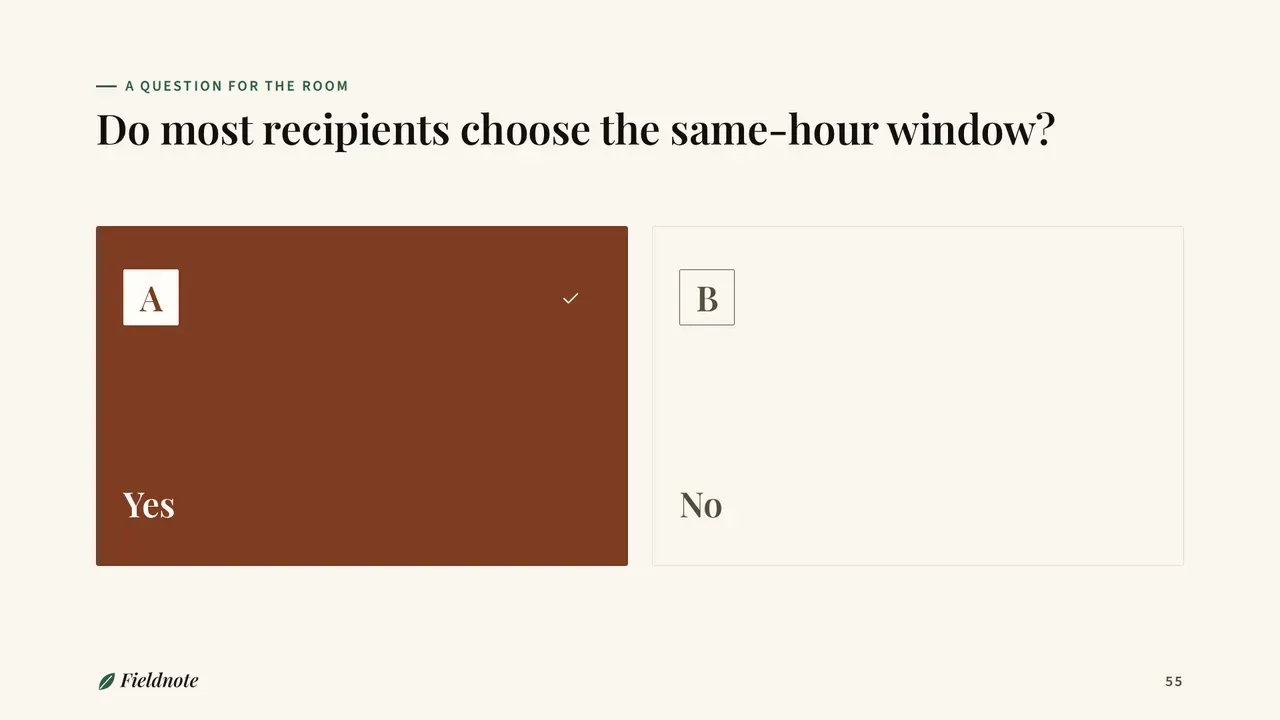
answermust name a choice that exists, anddeck lintsays how many there are:$ deck lint launch-review decks/launch-review/slides/same-hour.mdx error schema (same-hour): answer: Answer D has no option; this quiz has 2 options. Fix: Set `answer` to one of A, B. launch-review: 1 error, 0 warnings. -
Leaving out the answer. “answer is required.” The quiz has to know which choice to mark, even with
reveal: false. -
An option over 72 characters. “options[0]: Expected an option of at most 72 characters, got “Yes, because the same h…” (84 characters).” Put the reasoning in
explanation:. -
Five options. The schema stops at four, lettered A to D.
Related layouts
cards: parallel ideas with no right answer.comparison: alternatives measured on the same rows.content: an open question without fixed choices, or one explanation.