Use the statement layout for one sentence set large on its own: the claim the talk turns on, a turn in the story, or a quote with the speaker named under it. You write the sentence as the body, and the layout sets it in the display style on the inverse surface unless you choose another.
Example
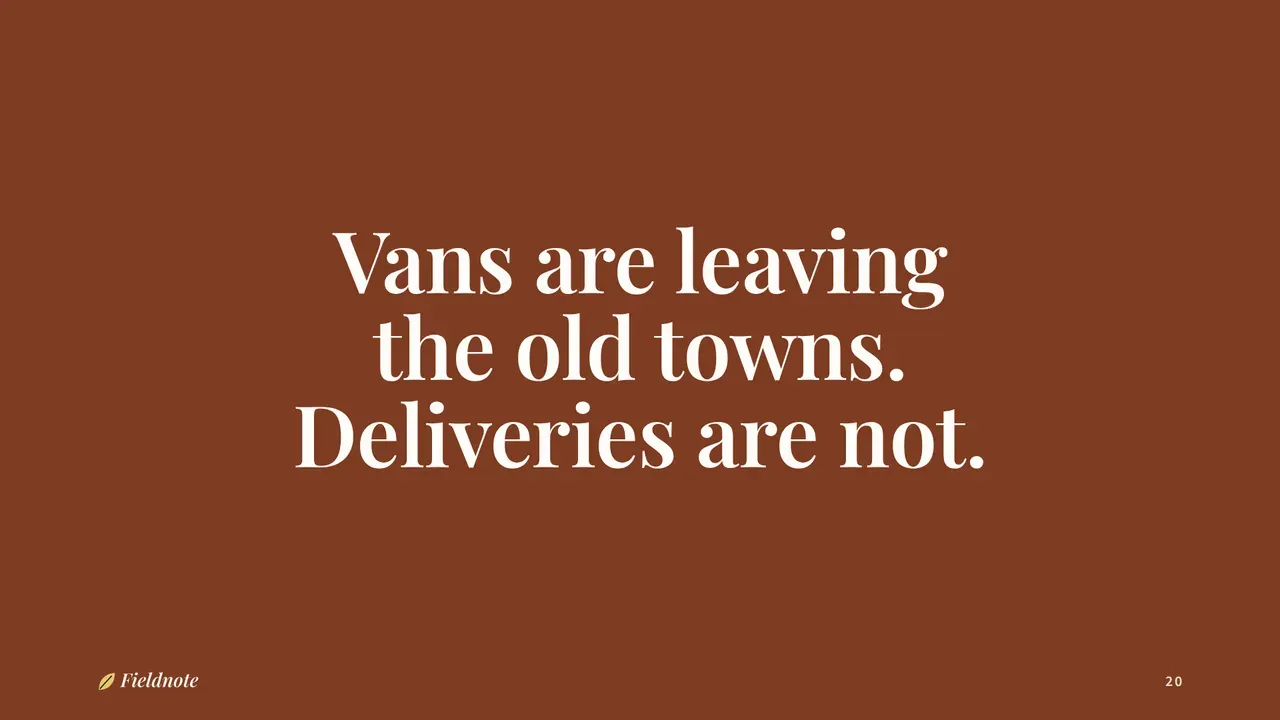
---
layout: statement
title: Vans are leaving the old towns, deliveries are not
align: center
surface: accent
budget: 20s
---

Vans are leaving the old towns.<br />
Deliveries are not.

<Notes>
`statement` with `align: center` on the accent surface; use the centred form for a turn in the story, a short line the room should stop on.
Kestwick closed its Old Town to vans in 2022, Marrowgate in 2024, and four more cities follow by 2028. The shops inside those streets still need to deliver.
</Notes>
Slide 20 of the lookbook deckView on GitHub
align: center centres a short statement for a turn in the story, and surface: accent sets it on the brand’s accent colour. The title: names the slide in the outline and is not shown; the <br /> breaks the line where the sentence turns. The reference below shows the default left-aligned form with emphasis: underline.
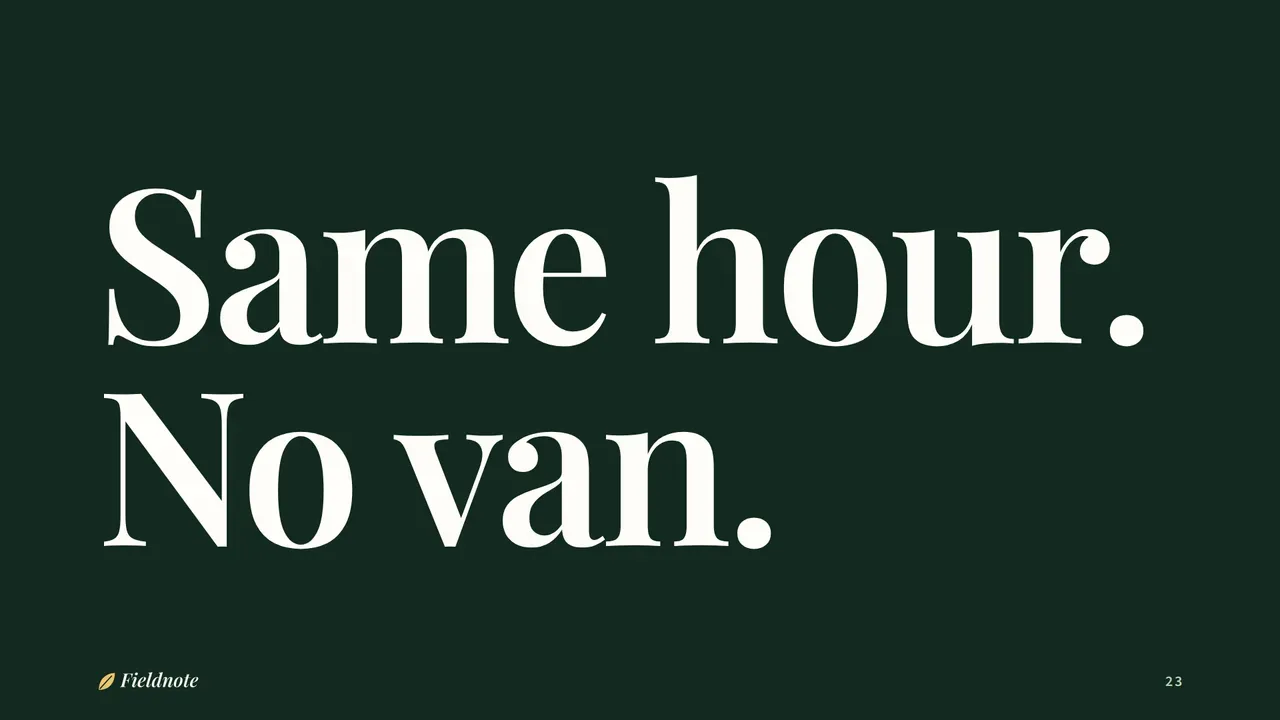
size: giant sets a statement of up to five words across most of the slide, larger than the display style:
When to use it
- One sentence, no list. The body is required: one sentence or two short ones, up to 24 words. Up to three lines are set in the display style; a longer statement is set at quote size, in four lines at most.
- A few words carry the claim. Mark them once with emphasis (
*front door*) and writeemphasis: underlineto set them in the accent over a heavy rule, which reads on every surface. Without it, emphasis is set in italics. - Someone else said it. Fill
<Attribution>with the name and role, up to 12 words, and the statement becomes a quote. Write the words without quotation marks; the layout sets them. - The one line to remember.
size: gianttakes five words at most, for the line a keynote is remembered by.
The catalog asks you to use the layout sparingly, at most once per part. For a testimonial with a portrait, use quote; for a claim that needs a reason under it, use content.
Reference
- Frontmatter
layout: statement- Surface
inverse- PowerPoint
- content slide
One sentence set large, on its own: the claim the talk turns on, or a quote. Up to three lines are set in the display style; a longer statement is set at quote size, in four lines at most, a little above the middle of the slide. Fill <Attribution> to set it as a quote with the speaker named below. Mark the two or three words that carry the claim with emphasis (*front door*) and write emphasis: underline to set them in the accent over a heavy rule, which reads on every surface. align: center centres a short statement on the slide, for a turn in the story or the ask. size: giant sets a statement of up to 5 words across most of the slide, larger than the display style, for the one line a keynote is remembered by. Use it sparingly, at most once per part. Defaults to the inverse surface; title: names the slide in the outline and is not shown.
Slots
| Slot | Takes | Budget | What goes in it |
|---|---|---|---|
bodyrequired | text, quote | 24 words | The statement: one sentence, or two short ones, no list. For a quote, write the words without quotation marks; the layout sets them. With emphasis:, mark the words that carry the claim, once: Identity is now your *front door*. |
<Attribution> | text | 12 words | Who said it: the name, then their role, for example "Dr. Amaka Bello, public health officer". Makes the statement a quote. |
Frontmatter fields
| Field | Values | How to use it |
|---|---|---|
eyebrow | text | Write a few words of at most 40 characters, for example eyebrow: Budget committee, or leave it out. |
emphasis | underline | Write emphasis: underline to set the words you mark with *...* in the accent over a heavy rule, or leave it out to set emphasis in italics. |
align | left (default) center | Write align: center to centre the statement and its attribution on the slide, or leave it out to set them from the left. |
size | giant | Write size: giant to set a statement of up to 5 words across most of the slide, or leave it out. |
chrome | true (default) false | Write chrome: false to hide the page number, logo and progress bar on this slide, or chrome: true to show them. |
Variants
size: giant; leavesizeout for a longer statement — body: 5 words
Example
---
layout: statement
title: The second night of a heatwave is the worst
eyebrow: From the ward
emphasis: underline
---

The worst nights are the *second and third* of a heatwave, when the flats never cool down.

<Attribution>Mariam Haddad, charge nurse, Eastgate General</Attribution>

<Notes>
Read the quote slowly, then pause before the next slide.
</Notes>
Common mistakes
Too many words for size: giant. The giant variant takes five words, and the finding names the way back to the longer budget:
$ deck lint launch-review
decks/launch-review/slides/claim.mdx
  error   content-budget (claim): The body slot holds 10 words; its layout allows 5 (`size: giant`; leave `size` out for a longer statement).
          Fix: Cut it to the essentials, split the slide, move detail into speaker notes, or pick a layout made for more content (`deck layouts`).

launch-review: 1 error, 0 warnings in 1 slide (1 step checked).
A list instead of a sentence. The body takes text or a quote, not bullets: slot-content reports The body slot holds a list of 2 items; the statement layout sets it as text or quote. and suggests content or split.
A paragraph. Past 24 words, content-budget reports The body slot holds 28 words; its layout allows 24. Cut it to the claim and say the rest; the reasoning belongs in the <Notes>.
Expecting the title on the slide. title: only names the slide in the outline. Put every word the audience should read in the body.
Related layouts
quote: a person speaking for the point, with name, role and portrait.section: a divider that opens a part of the talk, with its number.closing: the last slide, with the one thing to do and how to follow up.content: a title that states the point, with a paragraph or bullets under it.
How long text is set is on text and fitting.